Omphalis vs Snipd
Snipd captures the moment while you listen. Omphalis is for reading the episode.
Snipd is a podcast player built around the snip: triple-tap your headphones and it saves that moment with the audio, the transcript with speaker names, and a written summary, while the episode keeps playing. It works in CarPlay, Android Auto and on Apple Watch, and it syncs snips to Readwise, Notion, Obsidian, Glasp, Bear and Logseq, or exports them as Markdown. If you want a podcast player that captures moments while you listen on the go, stay with Snipd.
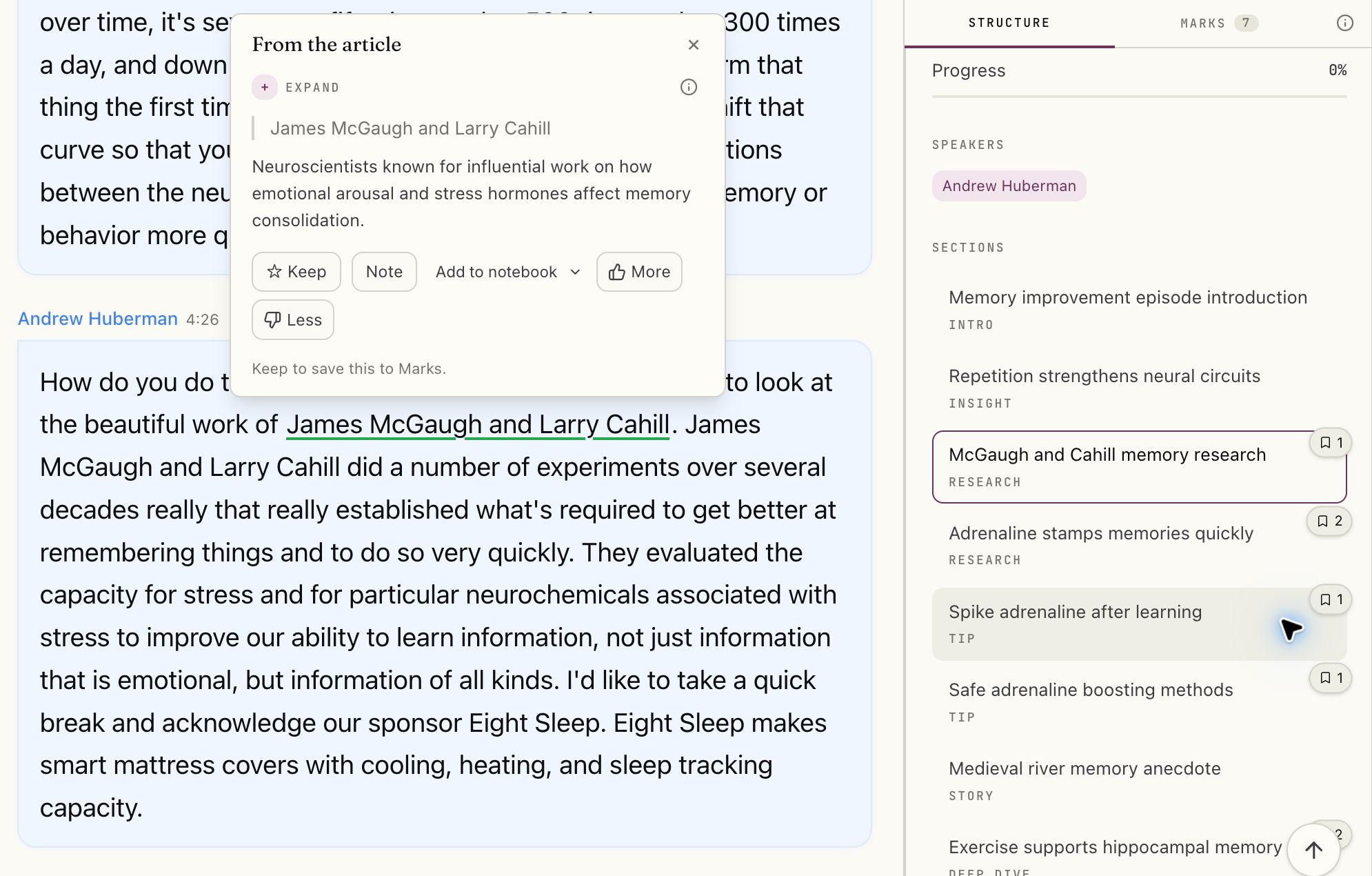
Omphalis is not a podcast player. It opens an episode as a readable transcript page with speaker labels, timestamps and a section map, puts explanations beside unfamiliar names and ideas, keeps your highlights and notes attached to the passage, and holds the episode in the same Library as your articles, PDFs and videos. It is worth trying when you want to sit with an episode and work through it.
Start freeNew accounts get a 30-day trial of every feature, no card needed. After that, Free stays free.
Disclosure: this comparison is written by Omphalis about its own product, so it is not a neutral review. We are not paid by Snipd or by anyone else to be compared favourably, this page carries no affiliate links, and every claim about Snipd is checked against their own public documentation. Read the full disclosures, and tell us if something here has gone out of date.
Checked September 29, 2026 against Snipd's homepage, pricing page, feature list, and help center. Our suggestions about fit are our judgment.
Which would I try?
Snipd, for capturing while you listen
Keep Snipd if most of your listening happens in the car, on a run or with your hands full, and what you want is the moment saved with its transcript without reaching for your phone. If your notes live in Readwise, Notion or Obsidian and you want snips to land there on their own, Snipd is built for that too.
Visit Snipd →Omphalis, for reading an episode closely
Try Omphalis with one episode you keep meaning to go back to: a long interview, a dense lecture, a conversation full of names you half know. Read the transcript, open an explanation, leave a note on the passage. If you also keep articles, PDFs and talks, they sit in the same Library.
See the Omphalis reading workflow →You can keep Snipd as your podcast player. When an episode deserves a closer read, open it in Omphalis and see whether you come away understanding more of it.
Also compare Omphalis with Pocket, Omnivore, Instapaper, Matter, Glasp, Readwise, Heptabase, NotebookLM, LiquidText, MarginNote, Elicit, Mindgrasp or Eightify.