Listen
Listen to what you saved, then come back to the text.
Choose Listen on an article, a PDF, a podcast transcript, or a YouTube talk you kept, and hear it read aloud on a walk or a commute. When a passage deserves a second look, the same piece is waiting in your Library with its section map, explanations, and your highlights and notes.
Listening is on every plan, including Free; PDFs are read on paid plans and during the 30-day trial. Listening is one way through a piece, not a replacement for reading it.
Start free
New accounts get a 30-day trial of every feature, no card needed. After that, Free stays free.
Listen wherever you saved it
Listen sits on items in Inbox, Library, and Today, and in the reader in the iOS and Android apps. Articles and PDFs are narrated from their text. Podcast episodes and YouTube talks are narrated from their transcripts.
In the browser extension, Listen sits above the article in the reading view. Every player goes up to 2x.
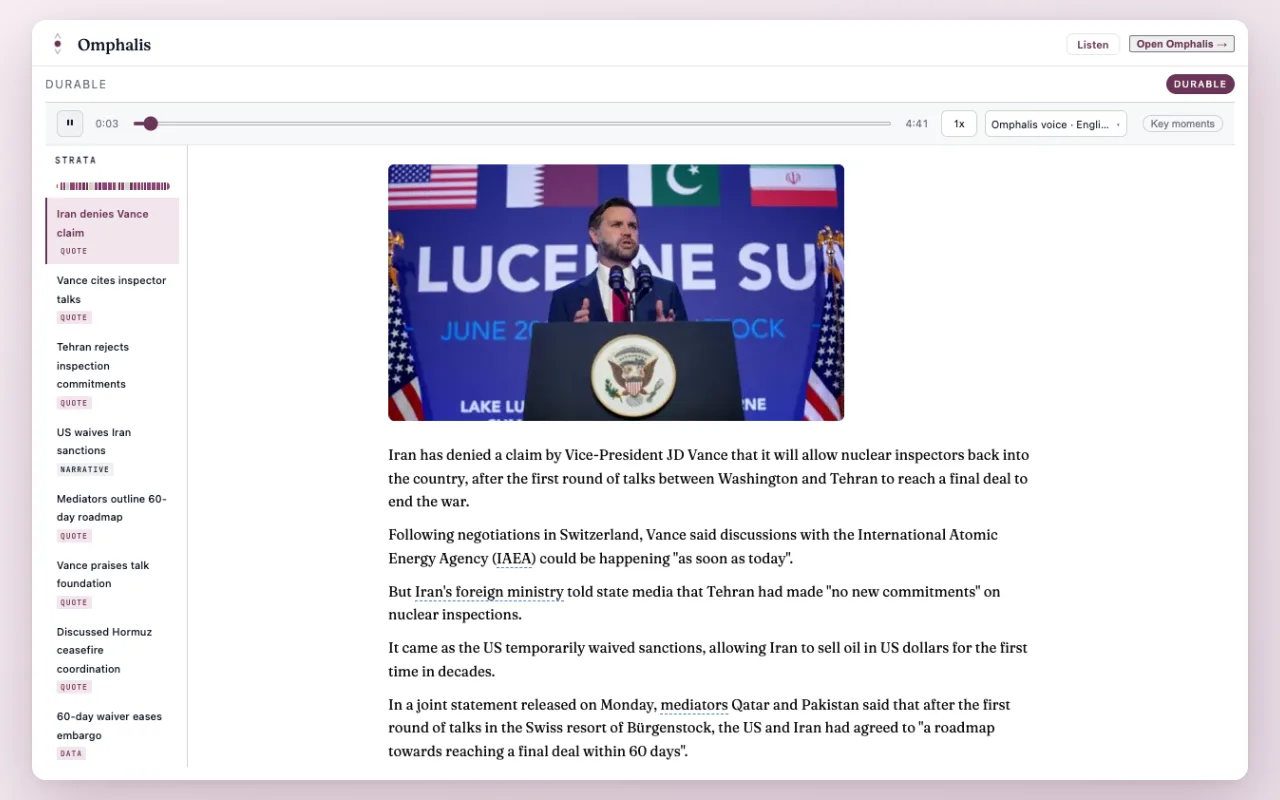
Narration that skips the clutter
A paper read aloud word for word is hard to follow. Omphalis narration skips references, bibliographies, footnotes, front and back matter, inline citations, and page numbers, and leaves out code, images, and URLs. Nothing is removed from the reading page: open the text and every footnote and reference is still there.
On your phone, and offline
In the iOS and Android apps, audio keeps playing in the background, with controls on the lock screen and from your headset or Bluetooth device, and 15-second skips forward and back. Choose Make available offline and the app downloads the text and the audio, on every plan, so a flight or a tunnel does not stop you.
To keep a file, choose Download full audio from a narrated item's menu in the Library and save it as an MP3.
Choose the voice
Everyday voices come with every plan. Premium and Scholar add HD and Lifelike voices in the web app, and the 30-day trial includes them too. Set a default voice in Settings, and a separate one for Inbox if you want your feeds to sound different; the mobile apps and the extension each have a voice picker of their own.
A few practical questions
- Can Omphalis read articles and PDFs aloud?
- Yes. Choose Listen on an article or PDF in Inbox, Library, or Today, or in the iOS and Android reader, and Omphalis narrates the text. For a podcast episode or a YouTube talk, Listen reads the transcript. Your own notes and notebooks are not narrated; a voice note plays its own recording. PDFs are read on paid plans and during the 30-day trial.
- Can I listen offline?
- Yes, in the iOS and Android apps. Choose Make available offline on an item and the app downloads its text and audio, on every plan including Free. A setting can download new items automatically.
- Does narration read out references and footnotes?
- No. Narration skips references, bibliographies, footnotes, front and back matter, inline citations, and page numbers, and it leaves out code, images, and URLs. The reading page keeps all of it, so you can look anything up when you open the text.
- Which voices can I use?
- Everyday voices are on every plan. HD and Lifelike voices are on Premium and Scholar, and during the 30-day trial, in the web app; the browser extension narrates with the standard voices. Choose a default voice in Settings, with a separate voice for Inbox if you like, and the mobile apps and the extension have their own voice pickers.
- Can I download the audio as an MP3?
- Yes. Once a saved piece has been narrated, choose Download full audio from its menu in the Library to save it as an MP3 file.
- How much listening is included?
- Listening draws on the same monthly units that process new sources, so every plan, Free included, can listen, and paid plans have more units. The pricing page shows each plan's units and what they cover.
Start with one piece you keep meaning to get to.
Listen on the way, then open it to keep the passages worth a second look.
Start free
New accounts get a 30-day trial of every feature, no card needed. After that, Free stays free.
Written by Omphalis teamLast updated