Ask voice
Talk through what you read.
Press Talk in the Ask panel and ask your question out loud. Ask answers aloud from the sources you saved, and each answer arrives on screen with the passages it drew on, numbered, one choice away from the text they came from.
Some questions are easier to say than to type: what a term means, why an author made a particular move, how two claims fit together. Ask voice keeps the thread, so a follow-up is part of the same line of thought, and it keeps you on the page instead of sending you to a search box.
Start free
New accounts get a 30-day trial of every feature, no card needed. After that, Free stays free.
Updated
What does a voice session sound like?
One continuous take on a saved copy of Ralph Waldo Emerson’s “The American Scholar”. The reader asks what Emerson says is the right use of books, follows up with “And how does he think reading goes wrong?”, opens one of the second answer’s sources, and ends the session by saying so.
How is talking to Ask different from a chatbot?
A general voice assistant answers from everything it has seen and leaves you to take the answer on trust. Ask voice is built the other way round.
Does it answer from my sources?
Yes. It answers from the item in front of you, a Space, or your whole Library, as you choose. Answers about your material draw only on your own Library, never on anyone else’s.
Can I see where an answer came from?
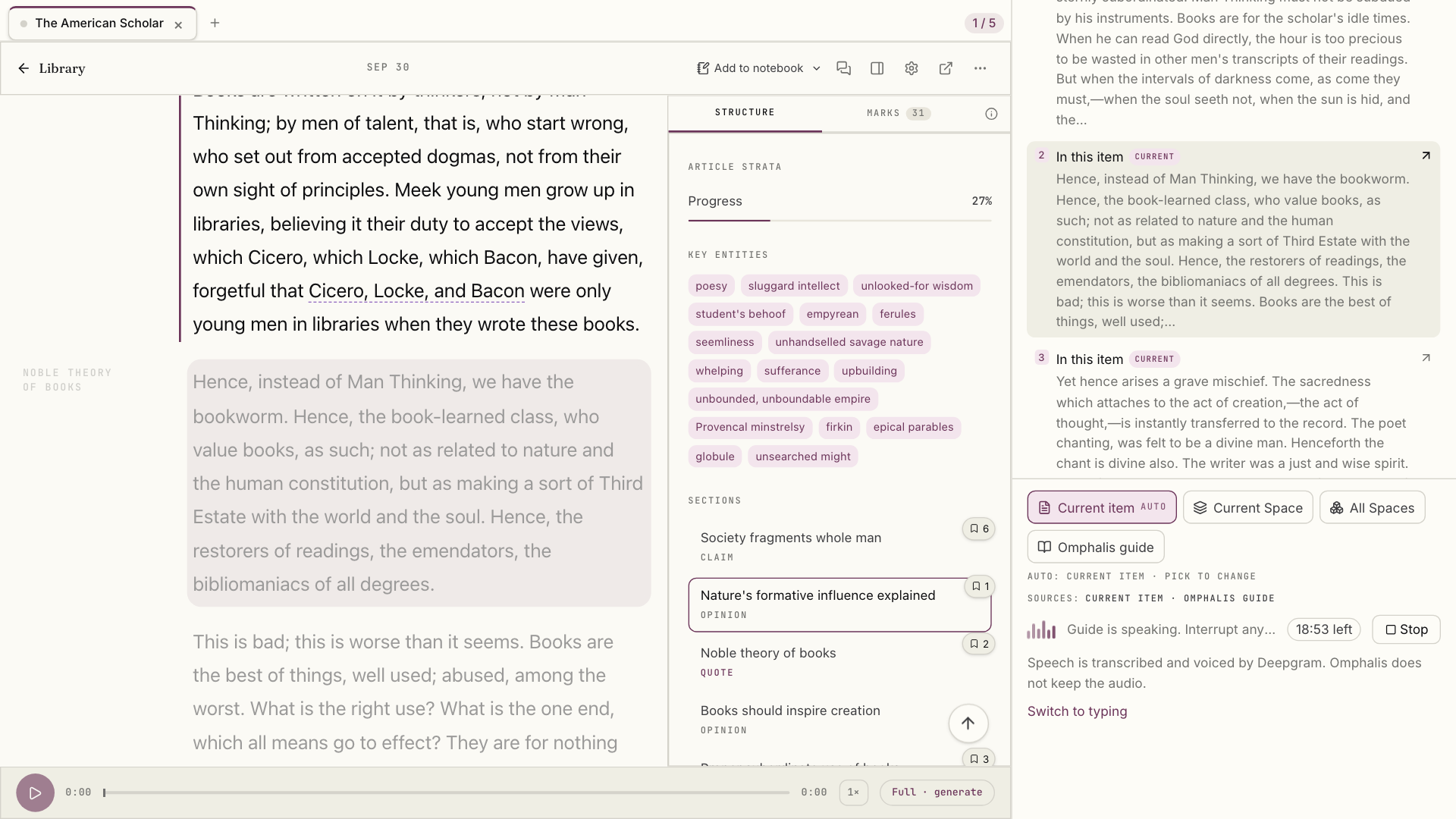
Yes. Ask does not read its citations aloud; it shows them. Each spoken answer arrives with numbered sources, and choosing one opens the cited passage, highlighted.
Do I have to leave the page?
No. The conversation runs in the reader, beside the piece you are discussing, so an answer points back into the text rather than standing in for it.
What happens in a voice session?
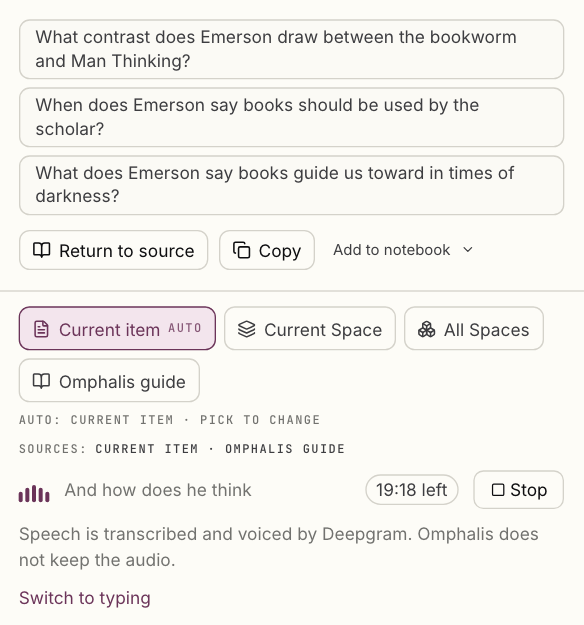
Ask greets you by name, mentions what is open, and listens. A live transcript shows your question as you say it. Ask begins speaking as the answer takes shape rather than waiting for the whole response, so the exchange keeps a conversational pace through several turns, and an answer can close by suggesting a question worth asking next.
Interrupt by speaking, switch to typing at any point, or end the session by saying so. Afterwards the whole conversation stays in the Ask panel as text, with its sources, so you can come back to it.
Select the image to see the detail.
Where do the answers come from?
You decide what Ask may draw on. It proposes a starting scope from your question, marked AUTO, and you pick another to change it at any time.
- Current item: the piece open in front of you.
- Current Space: the related material you gathered with it.
- All Spaces: your whole Library.
- Omphalis guide: how the app itself works.
How do you check what Ask said?
Choose a numbered source and the reader moves to the passage, highlighted in its surrounding text, with the source marked in the panel beside it. The explanation stays easy to listen to, and the evidence stays open to inspection. The original passage is still the place to verify a claim, notice a qualification, or reach a different conclusion.
Select the image to see the detail.
Which plans include Ask voice?
Pro includes 60 minutes of Ask voice a month, Premium 200 and Scholar 400. The 30-day trial includes 200, with no card needed. The Free plan does not include voice, and typed Ask works on every plan.
What else should you know about Ask voice?
- Does Omphalis keep a recording of what I say?
- No. Speech is transcribed and voiced by Deepgram, and Omphalis does not keep the audio. What stays is the conversation as text: each question and answer, with its sources, in the Ask panel.
- Can I interrupt Ask, or go back to typing?
- Yes. Start speaking while Ask is answering and it stops to listen. Switch to typing is on screen for the whole session, and saying you are done ends it.
- What if my sources do not cover the question?
- Ask is designed to say so rather than fill the gap. Visible sources help you judge an answer, but an explanation can still be wrong, so the passage itself is the place to check a claim.
- Which languages and devices does it work on?
- English, in the Omphalis web app in your browser. Mobile support is planned.
- How long can a voice session run?
- Up to 20 minutes, with the time left shown beside the Stop button. You can run one voice session at a time.
Pick a piece and ask it out loud.
Hear the answer, open its sources, and keep the parts that help you think.
Start free
New accounts get a 30-day trial of every feature, no card needed. After that, Free stays free.
Written by Omphalis teamLast updated