The web app
Read a source. Work out what you think.
Omphalis is a workspace for understanding. Bring an article, PDF, podcast, or video into it. Open the text, get help with a difficult passage, and keep your own notes. The web app holds that reading and the work you build around it.
Updated
How do you get help while the passage is still in front of you?
In Chelsea Rosenthal’s Mattering That It’s You, an explanation opens over the phrase “little usually hinges”. Read it, compare it with the surrounding paragraph, and continue. You can highlight a passage, add a note, or choose Listen for natural-voice narration.
How do you keep your sources beside your own thinking?
Make a notebook for a question you are working on. Add the relevant sources and write your own notes between them. You can keep an Ask answer there too, with citations to check when you return.
Start from a template when you want a shape to work in: a reading response, a comparison of sources, or an argument draft. When a notebook is worth showing someone, share a read-only link and they can read it without an account. Earlier versions stay in the notebook menu, so an edit you regret is recoverable, and a deleted notebook can be restored.
Open a notebook beside the reader with Write beside and keep writing while you read. Quotes, passages and Ask answers you keep land in it. The Notebooks row in the Library sidebar lists your notebooks, and a strip in each notebook shows which Library items it uses. This is on every plan, in the Library reader only, in a window at least 896 px wide; narrower windows open the notebook as a tab. Write beside replaces a docked Ask panel while it is open.
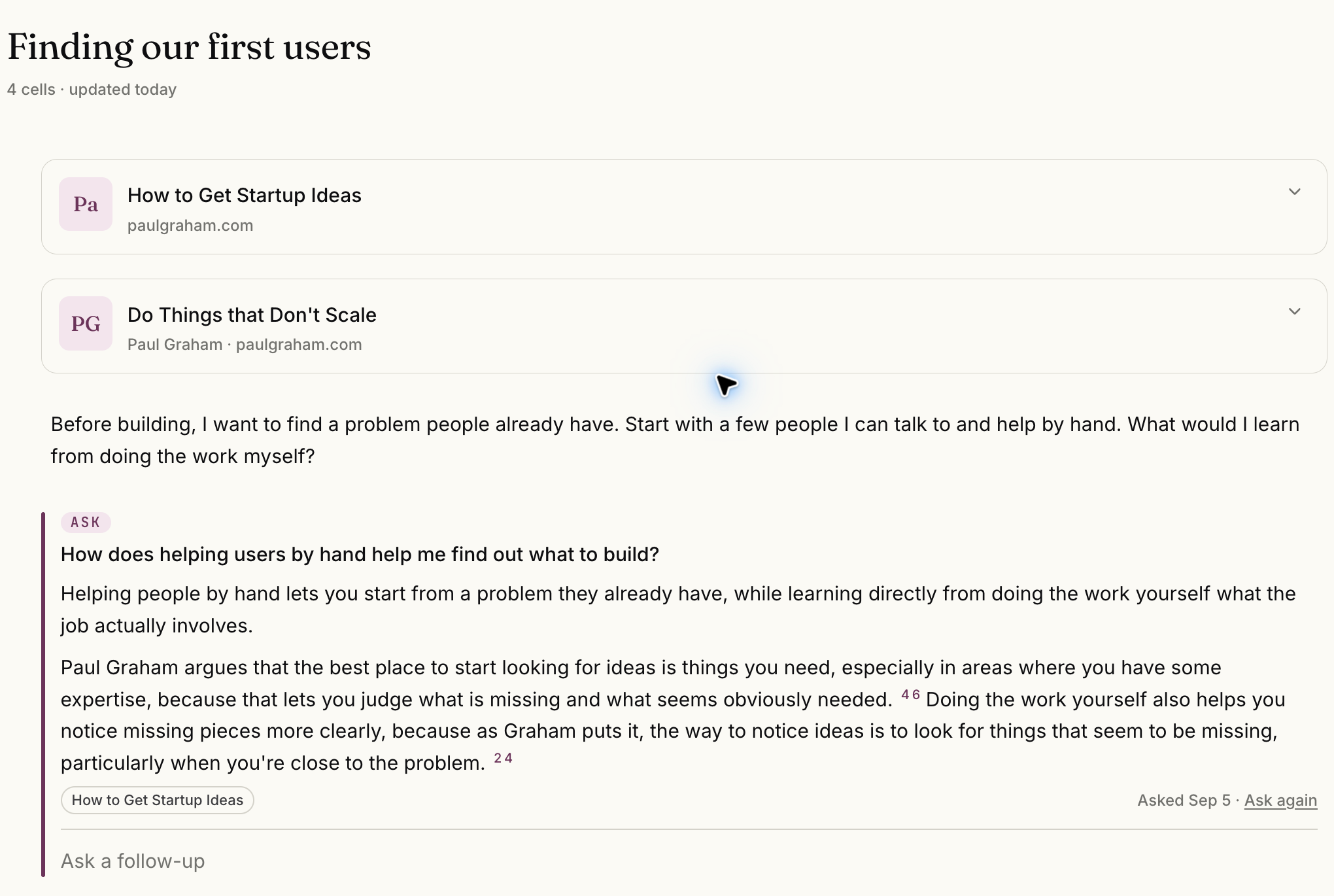
Select the image to see the detail.
How do you find your way back to what you read?
Library holds the pieces you save. Inbox brings in the sources you follow. Today gives you a place to return to your reading, and Connections helps you explore related material in your Library. Set your voice and reading preferences in Settings.
Choose how far each save goes. Clean is a readable copy, Structure adds Strata, and Full adds annotations and Connections. Set a default, change it for a single save, and move an item up later with the cost in units shown first. This is on every plan; on Free, Full gives Strata and annotations but Connections does not run, and a very large unattended save may land at Clean and say why.
What else should you know about the web app?
- What can I bring into the web app?
- Articles, podcasts, YouTube videos, PDFs, EPUBs, Word documents, newsletters, your own notes and voice notes. Add a link, upload a supported file, or subscribe to a feed. PDFs become readable pages during the trial or on any plan above Free; on Free a PDF is kept with its name and page count. PDF, EPUB and Word files can be up to 90 MB on current plans, and you see the cost in units before the work starts. On every plan above Free you can also connect a Readwise Reader or Zotero account under Library, Linked sources, browse it, and bring in only what you choose, with Readwise highlights and Zotero annotations if you turn that on. Omphalis reads from those accounts and does not write to them. Free can still add files one at a time with Import.
- Can I ask questions about the source I am reading?
- Yes. Use Ask while a source is open to ask a question and follow-up questions about it. Each answer cites the passages it draws on, so you can follow any point back to the source. You can also press Talk and ask out loud; Ask answers aloud and shows its sources on screen. Voice is included in the trial and on paid plans.
- Does the web app work offline?
- No, the web app needs a connection. The iPhone and Android apps share the same Library, and on those any item can be downloaded to read or listen offline.
Start with one thing you saved.
Drop in the piece you keep postponing. Give it a few minutes.
The free plan is real and stays free. See pricing
Start free
30-day trial, no card required. Includes 600 comprehension units, 200 Ask voice minutes and 15 assistant answers a day. After that, Free stays free. See plan allowances.
Written by Omphalis teamLast updated