What to do when a video transcript misses slides, charts, and demonstrations
Updated · 10 min read
Listen to this post
Contents
- What information disappears when you read a transcript without watching the video?
- Presentation slides and on-screen text
- Charts in videos
- Demonstrations and gestures
- How can you connect a speaker's words to a chart, slide, or on-screen demonstration?
- Mark the pointing words
- Write a visual note beside the passage
- Keep visual notes in one format
- Which moments are worth revisiting in the video rather than reading in the transcript?
- Signs that a passage needs the video
- Watching with transcript open: a two-pass routine
- Describing charts so the note works without the picture
- How Omphalis handles a YouTube transcript
- FAQ
- Does a transcript replace watching the video?
- How do I know which slides I actually missed?
- Should I take screenshots of every slide?
- Are automatic captions accurate enough for video notes?
- What if the slides are available as a file?
- Next step
- References
TL;DR
- A video transcript holds what was said, not what was shown. Slides, charts and demonstrations often carry the part of the point the speaker never put into words.
- Watch for words like "this", "here" and "as you can see". They mark the places where the transcript leans on a picture you cannot see.
- Write a one-line visual note beside those passages, and go back to the video only for the moments where the picture does the explaining.
Reading a talk as a transcript is fast. You can skim the parts you know, slow down on the hard ones and search for a term. But a lecture transcript has a blind spot. Every time the speaker points at a slide, the words stop telling the whole story.
The result is a sentence like "and you can see it drops off sharply here" with nothing to show what dropped, or by how much. Read enough of those and your video notes end up full of claims you cannot check.
In short: treat the transcript as the spoken half of the talk. Find the passages that depend on the other half, record what was on screen in a short note, and save rewatching for the moments that cannot be put into words.
What information disappears when you read a transcript without watching the video?
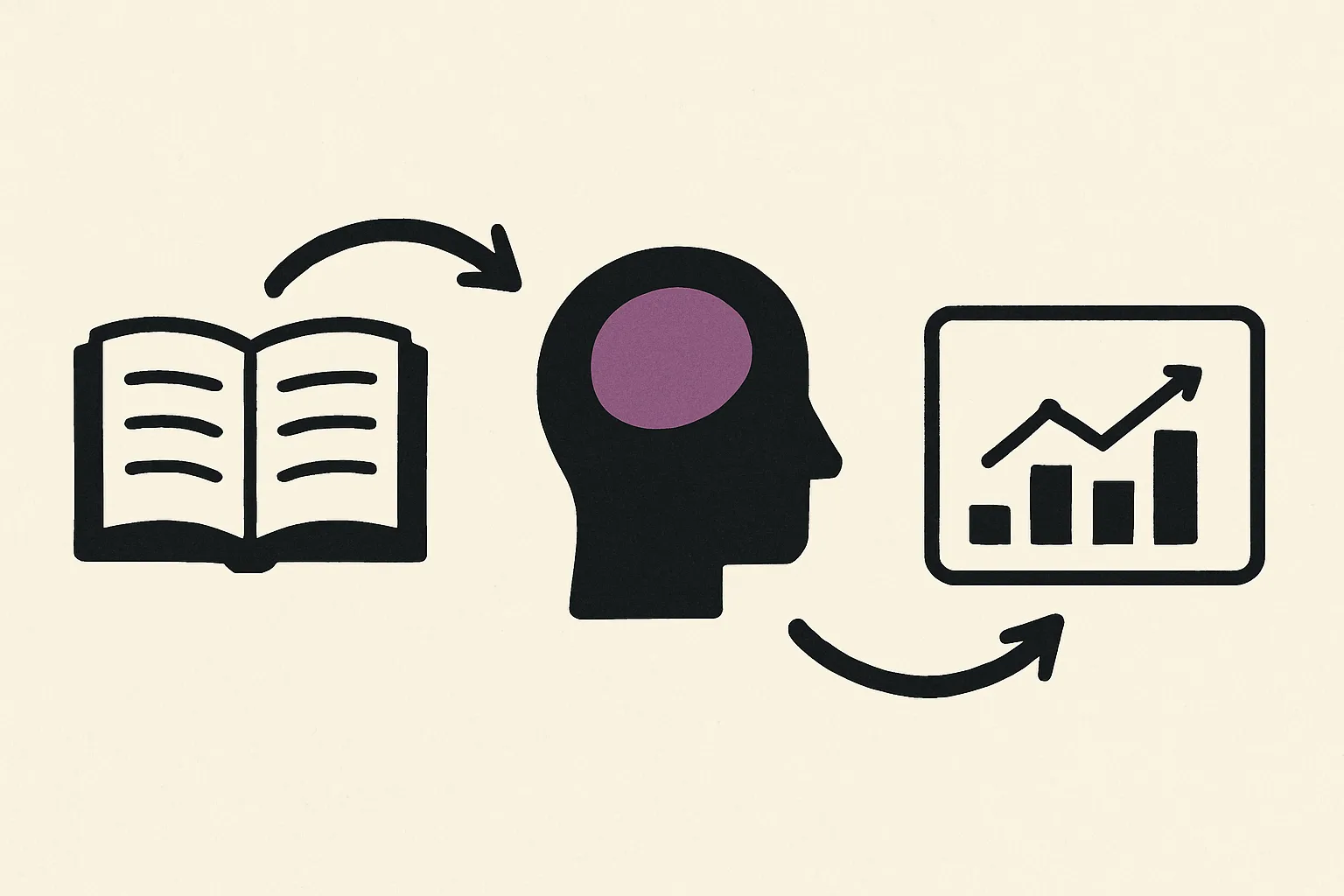
A transcript is built from the audio track. Anything that only appeared on screen is missing, and so is anything the speaker showed instead of saying. Accessibility guidance draws the same line: a transcript covers speech, and a separate description is needed for visual information that matters to the content (W3C, Transcripts; W3C, Description of visual information).
Presentation slides and on-screen text
Presentation slides usually carry the structure of a talk: the title of each section, the list of steps, the definition the speaker expects you to copy down. Speakers often skip reading these aloud because the audience can see them. In the transcript, the structure is gone and the talk can read as one long, flat argument.
Charts in videos
Charts in videos are where the most information goes missing. The speaker says "this line" or "the gap here", and the transcript records the words but not the axes, the units, or which line was meant. The point of a chart is often a comparison or a trend, which is exactly what is hardest to rebuild from speech alone.
Demonstrations and gestures
A demonstration shows a sequence: which button, which hand position, which order. Gestures do something similar on a smaller scale. A meta-analysis of 63 samples found that gestures add a moderate benefit to understanding, and more so when they carry information that is not in the speech (Hostetter, 2011). In one study, children learned more when a teacher's gesture showed a different strategy from the one in speech (Singer and Goldin-Meadow, 2005). A transcript drops all of it.
How can you connect a speaker's words to a chart, slide, or on-screen demonstration?
You do not need to rebuild every slide. You need to know which passages depend on a visual, and leave enough beside each one that the passage makes sense on its own.
Mark the pointing words
Read the transcript once with one question in mind: where does the speaker point at something? The signals are easy to spot once you look for them.
- "This", "these", "here" and "there" with nothing in the sentence they refer to.
- "As you can see", "look at", "on the left", "the red one".
- A number or a name that appears without the speaker explaining where it came from.
- A sudden jump in topic, which often means the slide changed.
Each of these is a place where the lecture transcript is incomplete. Highlight them first, before you take any other video notes.
Write a visual note beside the passage
For each marked passage, write one line that answers the question a reader of the transcript would ask. Keep it short and specific.
- Slide: the title and the one point it makes. "Slide: three causes of drift, timing listed first."
- Chart: the type, what each axis measures, and the trend. "Line chart, cost per year 2015 to 2024, flat until 2020 then doubles."
- Demonstration: the steps in order and the result. "Opens settings, turns off auto-sync, reloads, error goes away."
Writing the note yourself is part of the value. In three experiments, students who wrote an explanation in their own words during pauses in an online multimedia lesson scored better on a delayed test than students who moved straight on (Lawson and Mayer, 2021).
Keep visual notes in one format
Use the same opening word for every visual note: "Slide:", "Chart:", "Demo:". It costs nothing while you write and pays off when you search. A week later, searching for "Chart:" brings up every chart in the talk with its timestamp, without your having to remember the speaker's exact words.
Add the timestamp to each note as well, in a fixed format such as 0:12:45. If you need to check the visual later, the time takes you straight to it.
Which moments are worth revisiting in the video rather than reading in the transcript?
Rewatching a whole talk to recover a few visuals wastes the time the transcript saved you. The skill is knowing which moments only the video can explain.
Signs that a passage needs the video
Go back to the video when:
- The argument depends on a shape: a curve, a spike, a gap between two lines. Your note can name the trend, but the exact shape may matter.
- A demonstration involves movement, timing or a physical skill that one line of text cannot describe.
- You cannot write the visual note at all, because the speech gives you no clue what was on screen.
- You plan to quote or reuse a figure. Check the number on the slide, not the number you think you heard.
Stay with the transcript when the speaker explains the visual in full, when the slide only repeats what was said, or when the moment is background you will not use.
Watching with transcript open: a two-pass routine
- First pass, read. Read the transcript at your own pace. Mark the pointing words and every passage you do not fully follow. Do not open the video yet.
- Second pass, watch the marks only. Open the video and jump to each marked timestamp. Watch thirty seconds around it, write the visual note, and move on.
- Check yourself. Close the video and try to explain each marked section from your notes alone. Breaking a long online lecture with short recall tests reduced mind wandering and improved learning (Szpunar et al., 2013).
Watching with transcript open in this way usually takes a fraction of the talk's running time, because you only watch the moments the words could not carry.
Describing charts so the note works without the picture
A visual note is most useful when it still makes sense to someone who never saw the chart, including you, months later. Three habits help.
Name the series, not the color. "The orange line" means nothing without the picture, and it fails anyone who cannot tell the colors apart. WCAG makes the same point: color should not be the only way information is shown (W3C, Use of Color). Write "2024 sales" instead of "the orange line".
Give the values and the period. "Rises sharply" is a reading of the chart. "Rises from 12% in January to 31% in June" is what the chart shows. Keep both if the speaker's reading matters, but make sure the numbers are there.
Say what the speaker concluded. The chart and the claim are different things. Note the claim separately, so you can tell later whether the chart actually supports it.
A short example of a complete note: "0:24:10, Chart: weekly active users 2023 vs 2024, both start near 40k, 2024 line ends near 65k in December. Speaker says the redesign caused it. Check: the chart shows the trend, not the cause."
How Omphalis handles a YouTube transcript
In Omphalis, you paste a YouTube link and read the talk as a transcript with timestamps. You can open an explanation of an unfamiliar term without losing your place, highlight a passage and add a note to it.
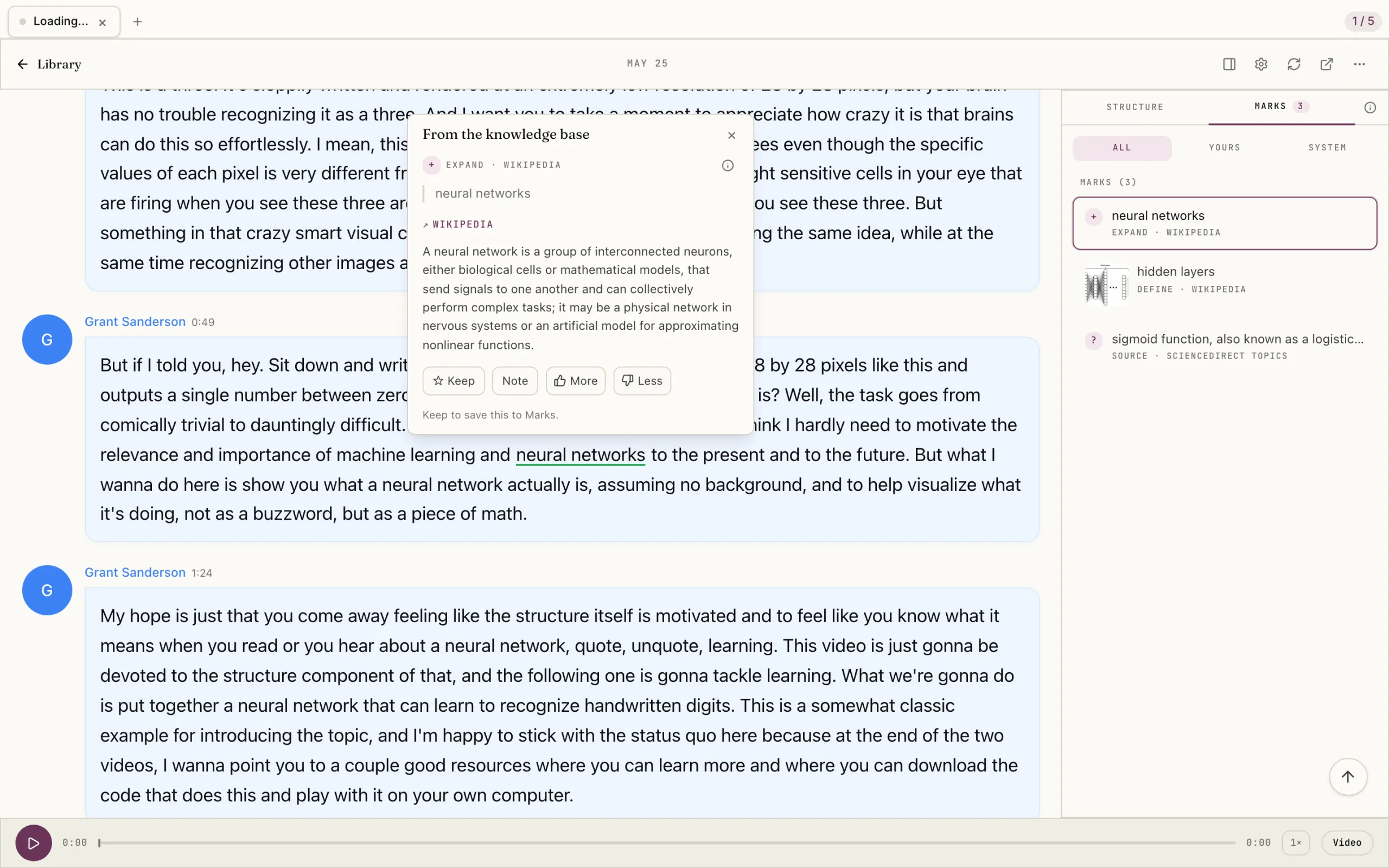
That fits the routine above. Highlight the pointing words on the first pass, and put your "Slide:", "Chart:" or "Demo:" line in the note on the highlight. Later, search the Marks list for "Chart:" and open each passage again in context. For diagrams, demonstrations and other visual details, go back to the original video: the transcript covers the spoken content only.
The same approach works for podcast transcripts and for lecture slides saved as a PDF. Our guide to understanding a long video lecture covers the rest of the reading process.
FAQ
Does a transcript replace watching the video?
No. A transcript covers what was said. For slides, charts and demonstrations that carry part of the meaning, you still need the video, or a description of what was on screen.
How do I know which slides I actually missed?
Look for the pointing words: "this", "here", "as you can see", "the one on the left". Each one marks a place where the speaker relied on the screen. A sudden change of topic often means a new slide as well.
Should I take screenshots of every slide?
Usually not. Screenshots pile up and are hard to search. A one-line note with a timestamp is quicker to write and easier to find. Take a screenshot only when the exact layout or figure matters.
Are automatic captions accurate enough for video notes?
Automatic captions are a good starting point, but they often get names, technical terms and numbers wrong. Check any figure or name against the video before you rely on it, and especially before you quote it.
What if the slides are available as a file?
Use them. Open the slide deck next to the lecture transcript and add the slide number to your notes. You will still want the video for demonstrations, but you can skip rewatching for the slides themselves.
Next step
Pick a recorded talk you have only skimmed in transcript form. Mark the pointing words, write the visual notes, and rewatch only the marked moments. To work on the hard passages once you have found them, see how Omphalis helps with reading comprehension.
References
- W3C Web Accessibility Initiative. Transcripts.
- W3C Web Accessibility Initiative. Description of visual information.
- W3C. Understanding Success Criterion 1.4.1: Use of Color.
- Hostetter, A. B. (2011). When do gestures communicate? A meta-analysis. Psychological Bulletin, 137(2), 297-315.
- Singer, M. A. and Goldin-Meadow, S. (2005). Children learn when their teacher's gestures and speech differ. Psychological Science, 16(2), 85-89.
- Lawson, A. P. and Mayer, R. E. (2021). Benefits of writing an explanation during pauses in multimedia lessons. Educational Psychology Review, 33(4), 1859-1885.
- Szpunar, K. K., Khan, N. Y. and Schacter, D. L. (2013). Interpolated memory tests reduce mind wandering and improve learning of online lectures. PNAS, 110(16), 6313-6317.
- University of Massachusetts Amherst. Video and audio need captions and transcripts.