AI PDF Readers vs. Reading Assistants: Which Job Are You Actually Hiring For?
Updated · 12 min read
Listen to this post
Contents
- Begin with the file in front of you
- What kind of answer do you need?
- When is a PDF reader the right hire?
- What if the work continues after the answer?
- Where does each tool stop?
- If the job ends with the answer
- If the job ends with a mark
- If the job ends with a connection
- Is multi-file chat the same as continuity across files?
- Do not confuse compression with comprehension
- How can you test a tool before you choose?
- The decision, in plain language
- Sources and further reading
Ask. Check. Return.
AI tools that work with long documents are often placed in one broad category: “AI readers.” But an AI PDF reader and an AI reading assistant usually serve different jobs.
The distinction is not about which product is better.
It is about where the work begins, what you need to preserve, and where the tool stops.
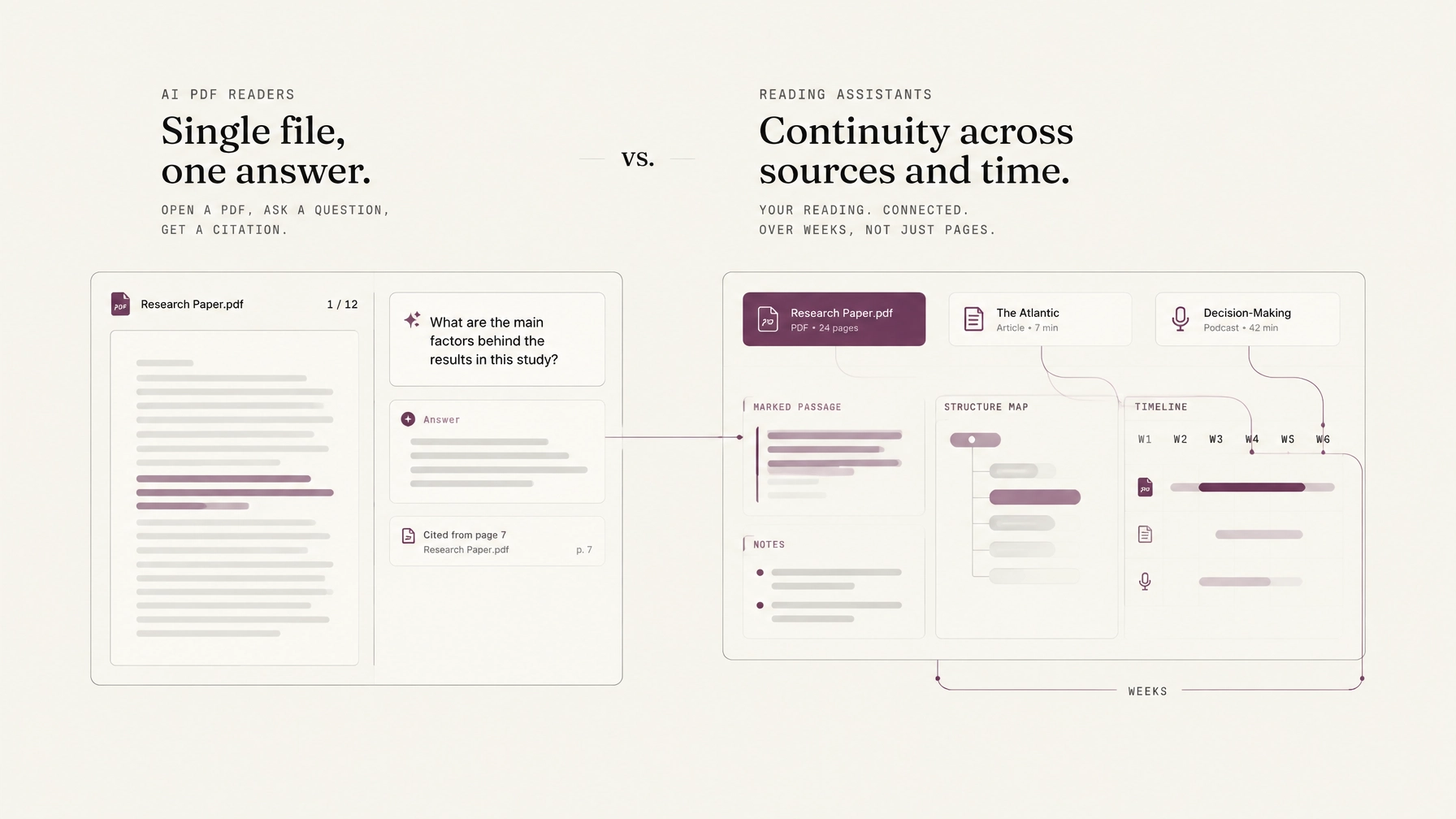
An AI PDF reader helps you understand one file. You upload a report, paper, contract, or manual. You ask a question. The tool searches the document and gives you an answer, often with a page reference.
An ai reading assistant helps you stay with reading as an ongoing practice. It may clean an article, show the structure of a paper, let you mark a passage, and help you return to that mark days or weeks later. Its work does not end when the answer appears.
A useful buying decision starts there.
Not with a feature table. With the job.
Begin with the file in front of you
Suppose you have received a seventy-page industry report.
You need to know what it says about pricing risk. You do not yet need to build a research library, compare it with three other reports, or preserve a detailed trail of your thinking.
This is where an AI PDF reader is genuinely useful.
You upload the file. The system extracts the text, searches for relevant passages, and answers a question such as:
“What risks does the report identify in the next twelve months?”
A good PDF reader can help you find the relevant section quickly. It can explain a technical term, extract a table, summarize a chapter, or identify the assumptions behind a claim. Some tools also read the document aloud or work with scanned pages through OCR.
That is not a small job.
A single-file question is often exactly what you need when you are deciding whether a document deserves a closer read, checking a known detail, or trying to enter a difficult paper.
The question is what happens next.
A PDF reader usually stops at the boundary of the file, the chat, or the immediate task. It can tell you where a claim appears. It may let you highlight it. But it does not necessarily remember why you marked it, what you thought about it, or how it relates to something you read last month.
This is not a defect. It is a boundary.
The tool is built to answer: What is in this document?
What kind of answer do you need?
The first important distinction is not whether an answer sounds clear.
It is whether the answer is grounded.
Recent discussion around AI PDF tools has focused on confident answers paired with weak, broken, or unverifiable citations. A response can sound precise while pointing to a passage that does not support the claim. It can cite the correct page but the wrong paragraph. It can describe the topic of a section without proving the sentence it has written.
As one recent guide puts it:
“A close topic match is not the same as proof.”
Jet New, Atlas, “7 Best AI Reading Assistants 2026: Papers, Articles, & Books”
That is the standard worth applying to both categories.
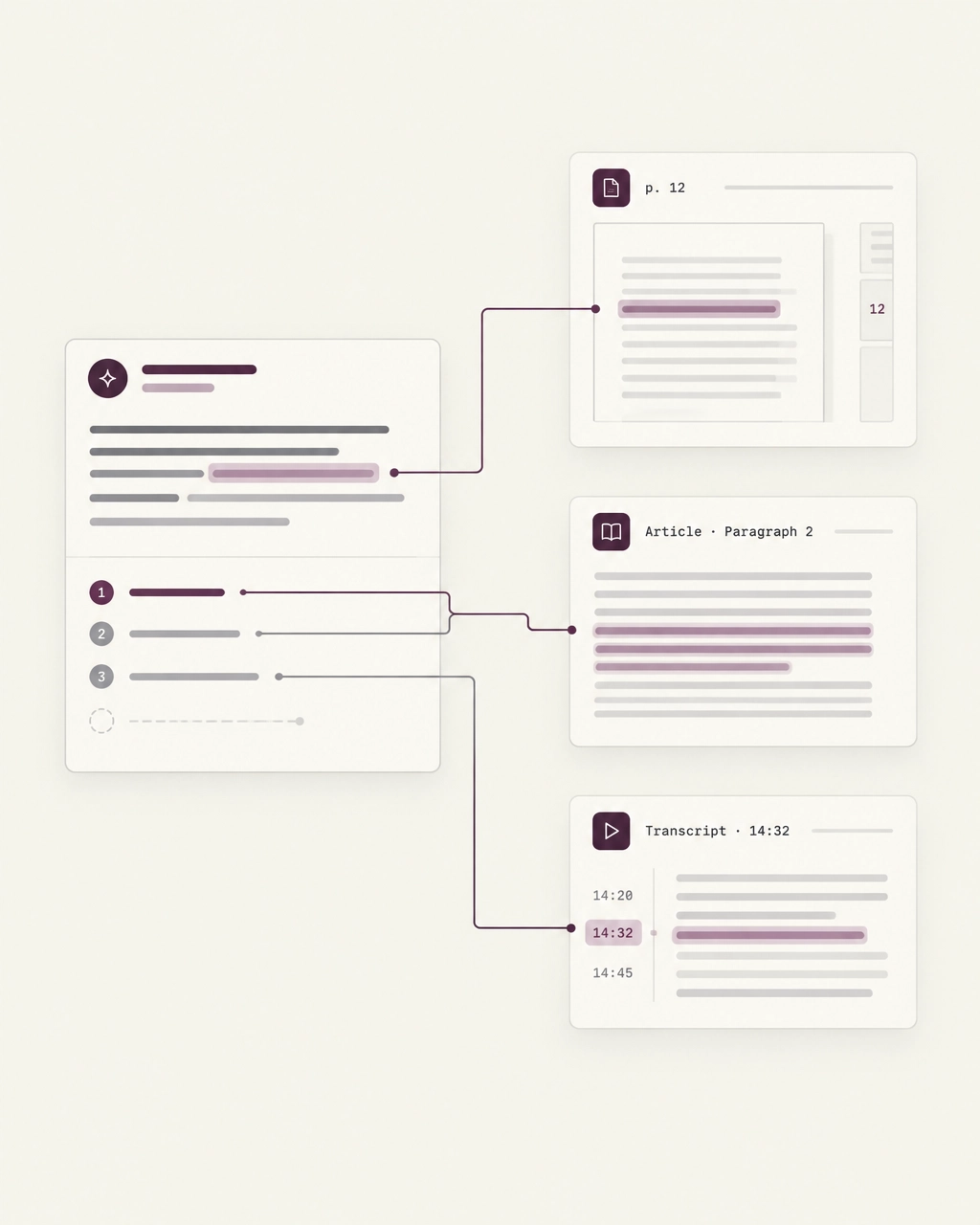
A citation is not decoration. It is a route back to the source.
When an AI PDF reader gives you an answer, check whether you can:
- Open the cited page or passage.
- Read the surrounding sentences.
- Confirm that the evidence supports the answer at the same level of strength.
If the answer says that a study demonstrated an effect, the citation should show a demonstrated effect, not merely a hypothesis, a limitation, or a related discussion.
Source-grounding matters even more when the material is complex. PDFs contain footnotes, tables, figures, two-column layouts, references, scanned pages, and text that does not follow the visual order of the page. In February 2026, The Verge described PDF parsing as “something of a grand challenge” for AI systems, despite their progress in other areas. Read the full report in “How many AIs does it take to read a PDF?”.
A trustworthy reader should make uncertainty visible.
It should also make checking easy.
When is a PDF reader the right hire?
Choose an AI PDF reader when your work looks like this:
- You have one document in front of you.
- You need a fast orientation before deciding whether to read closely.
- You want to ask specific questions about the file.
- You need to extract dates, definitions, figures, or structured information.
- You want a summary of a long report for a meeting.
- You need help understanding a difficult paragraph without building a long-term system around it.
For example, a student might upload a research paper and ask about the sample size, method, or stated limitation.
An analyst might ask a quarterly report to identify changes in risk language.
A lawyer might use an AI-enabled PDF editor to locate defined terms or compare provisions, while still reviewing the original document.
A product manager might question a technical specification before passing it to an engineer.
These are concrete, bounded tasks. A PDF reader can reduce the friction of entering the document.
It can also be a good first step in a larger workflow.
The important point is not to ask it to do a job it was not designed to do. A clean answer about a single file is not the same as a durable understanding of a body of material.
A PDF reader helps you enter the room.
It may not keep the map after you leave.
What if the work continues after the answer?
Now change the situation.
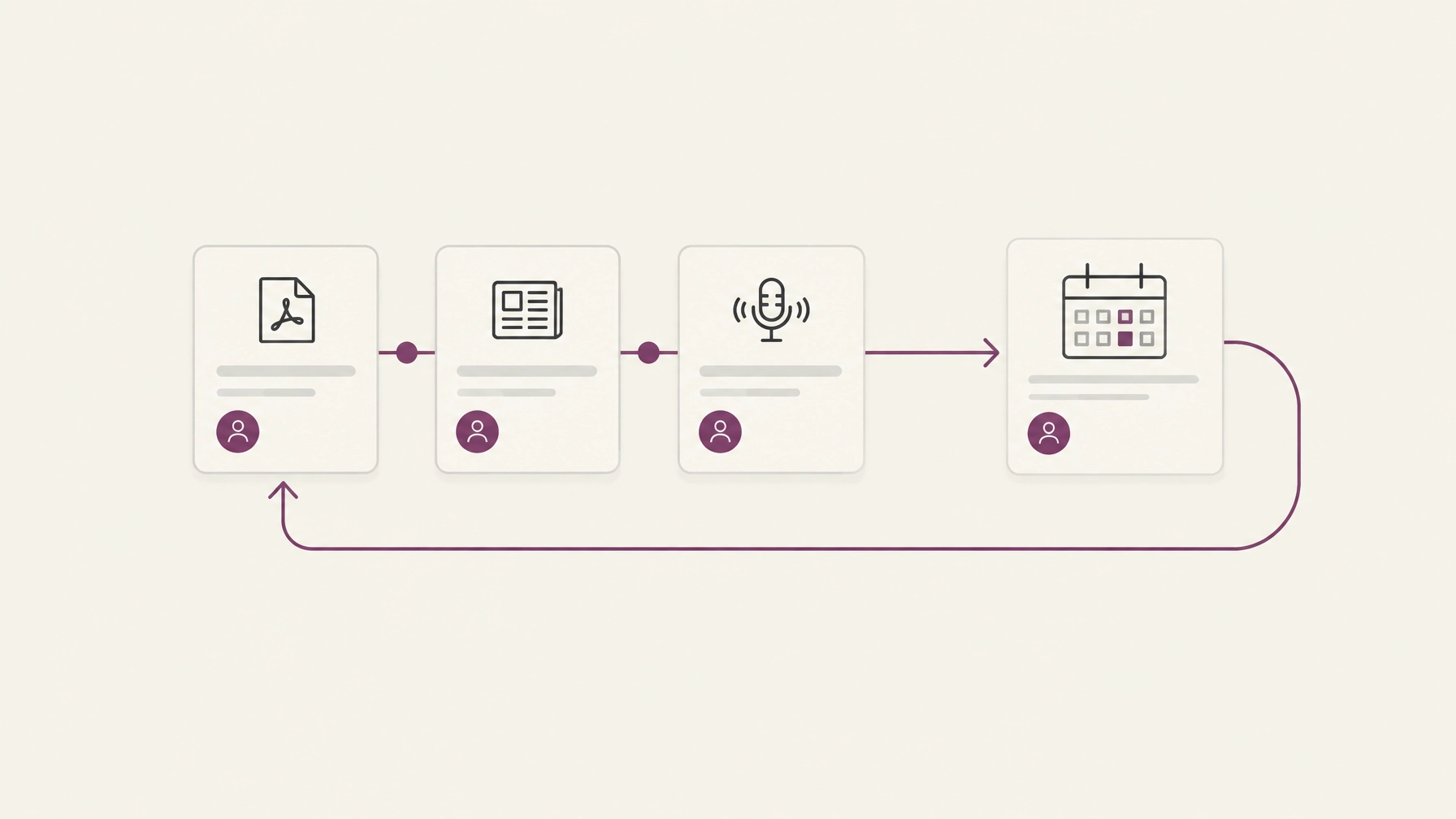
You are reading a research paper today, an interview transcript on Thursday, and a second paper next week. You want to remember a particular argument. You want to keep the question that occurred to you while reading. Later, you want to compare that argument with something else.
This is the job of an AI reading assistant.
The assistant is not only answering questions about content. It is supporting movement through content:
- from a saved file to a readable source,
- from a difficult paragraph to a useful mark,
- from one sitting to the next,
- from one source to another,
- from recognition to return.
A reading assistant may show you the structure of a long paper rather than reducing it to a short summary. It may distinguish an introduction, claim, example, evidence, caveat, and conclusion. It may let you attach a note to the exact passage that stopped you.
That note is important.
A highlight says, “This line mattered.”
A mark with a question says, “This is what I need to understand when I return.”
The difference becomes visible a week later. A bare highlight can feel familiar without restoring the reason you saved it. A marked passage with your own note gives you a way back into the argument.
This is why continuity across weeks is a separate product job.
An AI reading assistant is not simply a PDF reader with more file types. It treats your activity (what you marked, questioned, and chose to keep) as part of the reading record.
Where does each tool stop?
A simple decision path looks like this.
If the job ends with the answer
Start with an AI PDF reader.
You need to know what one document says. You want to inspect the source, perhaps extract a few details, and move on. The tool’s endpoint is a checked answer.
Its natural unit is the file.
If the job ends with a mark
Start with an AI reading assistant.
You are not only asking what the source says. You are trying to understand a passage, name your uncertainty, and preserve the reason it deserves another look.
Its natural unit is the passage plus your interpretation.
If the job ends with a connection
Look for a broader research workflow tool.
You need to bring several sources into relation. You want to notice that two authors use the same term differently, that a podcast complicates a paper, or that an idea you marked six months ago belongs beside something you read today.
Its natural unit is the connection between sources and the person who accepted it.
A research workflow tool should not imply that every suggested connection is meaningful. The system can surface a possible relationship. You still need to decide whether it matters and, ideally, say why.
The reader remains the owner of meaning.
Is multi-file chat the same as continuity across files?
Many AI PDF products now support multiple uploads or folders. That can be useful. You may be able to ask one question across several documents and receive an answer with citations.
But multi-file chat alone does not create continuity.
There are at least three different kinds of “working across files”:
- Retrieval: finding passages from several files that match a question.
- Synthesis: comparing those passages and describing agreement or disagreement.
- Continuity: preserving your marks, questions, and decisions so the work can be resumed later.
The first two are primarily AI answer capabilities.
The third is a reading workflow.
A system can synthesize ten PDFs and still leave you with no durable record of what you thought about them. It can produce a polished comparison without preserving the passages you intended to revisit. It can answer across files while treating each session as if it were the first.
That is the point where a reader may need something more than a document chatbot.
For information-heavy work, continuity is often the difference between a pile of sources and a growing body of understanding.
Do not confuse compression with comprehension
Summaries have a legitimate place.
Use one to decide whether a paper deserves a close read. Use one to orient yourself before entering a long report. Use one when you need to recall the broad subject of a file.
But a summary is a reduction. It removes detail in order to make the whole easier to hold.
That is useful when the goal is orientation.
It is less useful when the details are where the argument lives: the qualification, the method, the exception, the point where the author changes direction.
A reading assistant should help you see the structure of the source without asking you to surrender the source itself. It should make a dense piece easier to enter, not make it unnecessary to engage.
This is the principle behind Omphalis’s approach to comprehension: structure should support reading rather than replace it.
In an Omphalis PDF reading workflow, you can keep the extracted text, navigate through its sections, mark a confusing passage, attach a short note, and return to that place later. The purpose is not to produce a perfect account of the paper without you. It is to keep the paper available while your understanding develops.
Not a pile.
A way back.
How can you test a tool before you choose?
Do not compare tools by counting features. Run the same small test.
Choose one document you know reasonably well. A paper with a table is useful. A report with footnotes is better. If your work crosses formats, add one article or podcast transcript.
Then ask each tool a question with a known answer.
Check the citation.
Read the surrounding passage.
Next, mark one difficult section. Close the tool. Return the following day or week.
Ask:
- Can I find the passage again?
- Is my original question still attached?
- Does the source remain visible around the mark?
- Can I see what I thought, rather than only what the system summarized?
- Can I place this source beside another one?
- Can I export or carry the work elsewhere if I need to?
This test reveals the category you are actually hiring.
A single-file reader will often perform well on the first question. A reading assistant should also help with the return. A research workflow tool should give you a reasonable path from the return to the connection.
The decision, in plain language
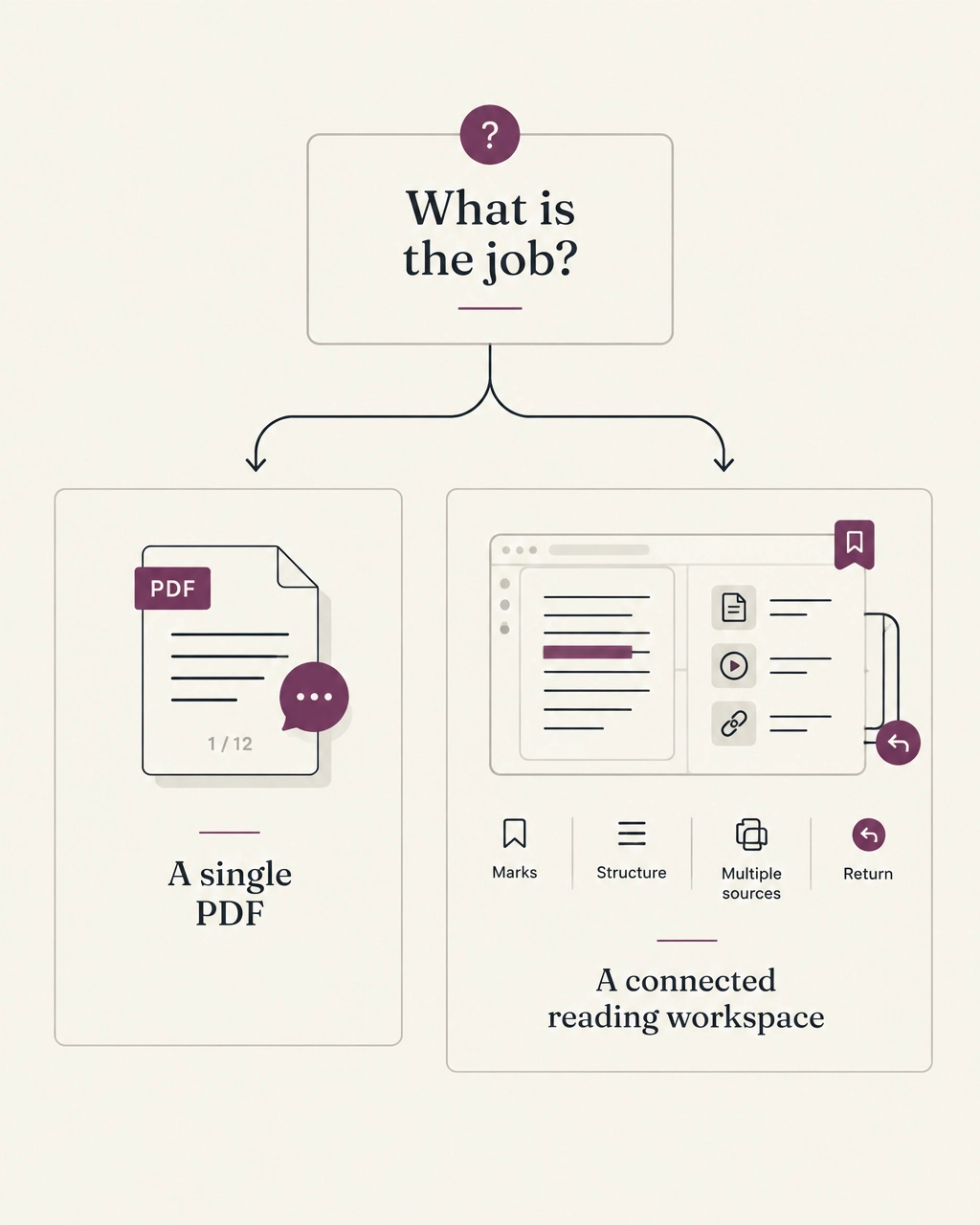
Choose an AI PDF reader when you need to interrogate a document.
Choose an AI reading assistant when you need to stay with a document.
Choose a research workflow tool when you need your reading to accumulate across documents and time.
You may use all three. A PDF reader can help you screen a new source. A reading assistant can help you work through it. Your wider research system can preserve the marks and connections that remain useful later.
The categories overlap, but their endpoints differ.
The PDF reader stops at the answer.
The reading assistant stops at the return.
The research workflow continues toward connection.
A tool should not replace the reading you are trying to do. It should help you notice where the argument turns, keep the passage that mattered, verify what was actually said, and find your way back when the week has moved on.
That is a narrower promise than understanding without the reading.
It is also a more useful one.
See how Omphalis supports reading across PDFs, articles, podcasts, and videos, or try the reader on a real source.
Understanding is not only what you can answer now.
It is what you can return to later.