AI note takers and reading assistants: capture, questions and return
Published · Updated · 13 min read
Contents
- Where does each tool start?
- What does an AI note taker do well?
- What does an AI reading assistant do differently?
- What will you keep after the first interaction?
- Where does each tool belong in a research workflow?
- 1. Capture conversations and live sessions
- 2. Enter difficult sources
- 3. Carry your own understanding forward
- Where does Omphalis fit, and where doesn’t it?
- How do you choose between a note taker and a reading assistant?
- Do not use the wrong tool for the hard source
- Frequently asked questions
- What is the difference between an AI note taker and an AI reading assistant?
- Can one tool do both jobs?
- Does Omphalis join meetings or record calls?
- Is a summary enough to understand a difficult paper?
An AI note taker and an AI reading assistant may look similar from a distance. Both can use language models. Both can produce summaries. Both can help you find information later.
But they begin at different moments in your work.
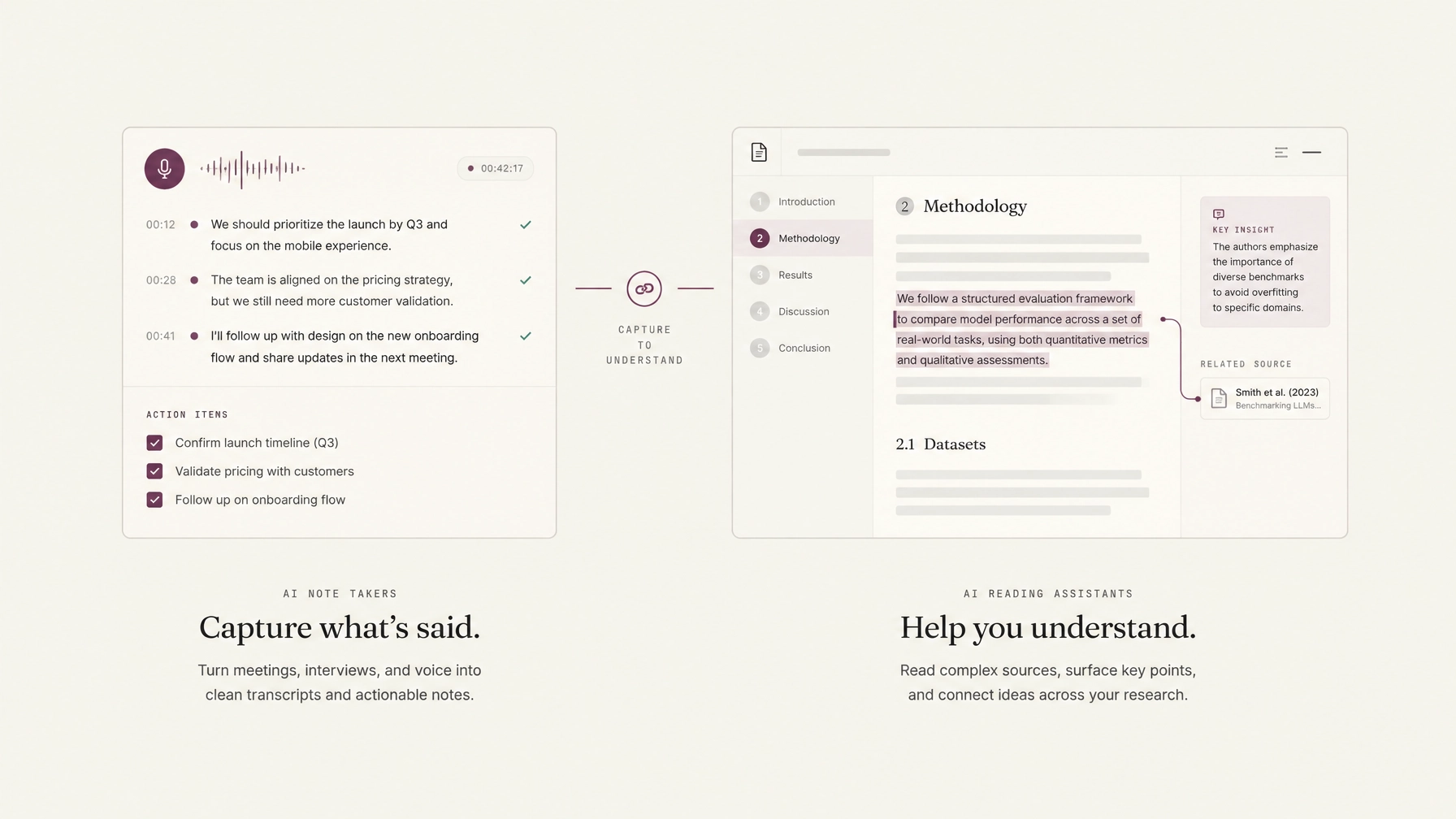
An AI note taker is usually there when something is happening: a meeting, lecture, interview, seminar, or call. It records what was said, identifies decisions, and gives you a usable account of the event.
An AI reading assistant is there when something already exists: an article, research paper, report, podcast, video, or book. It helps you enter the source, follow its structure, question difficult passages, and keep your own understanding attached to the material.
Both can support understanding. Compare live capture, source reading, questions and the notes you want to keep.
They are different tools for different moments. Confusing them can leave your hardest sources unread.
Where does each tool start?
The simplest distinction is this:
An AI note taker starts where a conversation is happening. An AI reading assistant starts where another person’s words are waiting.
This does not mean every AI note taker is limited to meetings. Some can process uploaded files, lectures, or recordings. Nor does it mean an AI reading assistant cannot create notes or summaries. The difference is one of emphasis.
An AI note taker is designed around capture. It reduces the burden of writing while people are speaking and preserves the record of what happened. An AI reading assistant is designed around engagement. It helps you stay with material that requires interpretation, notice structure, clarify terms, mark passages, and return later.
A note taker asks:
- What was said?
- What was decided?
- What needs to happen next?
A reading assistant asks:
- What is the author trying to establish?
- Where does the argument turn?
- Which passage do I need to understand more carefully?
- How does this source connect to what I have already read?
Both questions matter. They simply belong to different parts of the workflow.
What does an AI note taker do well?
An AI note taker is most useful when you need a reliable account of an event without dividing your attention between listening and writing. Imagine a research meeting: three people discuss a new direction, someone raises a concern about the method, and someone agrees to check a dataset before Friday. You may remember the general shape of the conversation without remembering the exact wording, the unresolved question, or who agreed to do what.
An AI note taker can record the conversation, produce a transcript, identify the main topics, and extract action items. That is valuable work. The same applies to lectures, interviews, client calls, seminars, conferences, and recorded presentations.
The best AI note taking app is not necessarily the one with the most features. It is the one that fits the event you are trying not to lose. For this kind of work, a note taker usually provides:
- A record: the transcript or recording preserves what was said.
- A structure: topics, speakers, timestamps, or sections make the record easier to navigate.
- A practical summary: key points, decisions, questions, and action items help you act afterward.
This saves attention during the event. It does not remove the need to think about the event later. A transcript can tell you what someone said. It cannot decide what you believe about it, which uncertainty matters, or how the conversation should change your research. Those decisions remain yours.
What does an AI reading assistant do differently?
Reading begins with a different problem. The source is already there. The difficulty is entering it carefully and carrying something useful away. A dense research paper may introduce unfamiliar terms in the abstract, qualify its central claim several pages later, and place its most important limitation near the end. A long podcast may contain one significant discussion inside two hours of conversation. A report may be readable sentence by sentence while remaining difficult to understand as a whole.
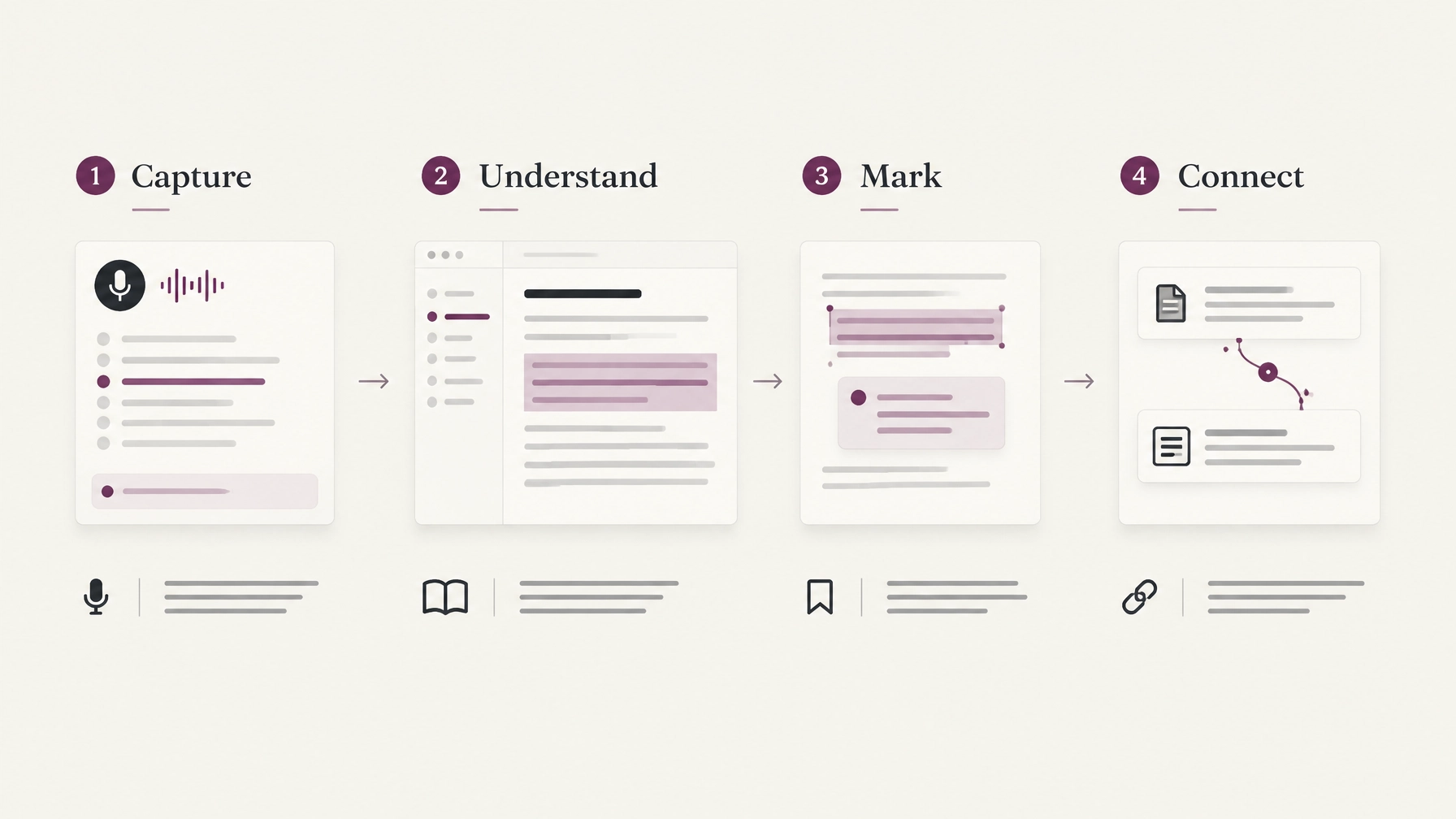
An AI reading assistant helps you move through that material without flattening it into a single answer. It may provide:
- Clean, readable text from an article, PDF, podcast, or video.
- Section navigation that shows how the source is organized.
- Explanations beside unfamiliar terms or passages.
- Questions grounded in the source, with citations to check.
- Personal notes attached to the exact paragraph or timestamp.
- Connections between sources you have chosen to keep.
The difference is important. A reading assistant does not simply tell you what the source says. It gives you a better place from which to read it.
Omphalis describes this distinction plainly:
“Help that lives where the reading is assists comprehension. Help that answers from somewhere else can replace it.”
— The case for comprehension
If you leave a difficult paper to open a separate chat, search for a definition, write a note elsewhere, and then try to find your place again, the help may be correct but still poorly placed. The reading has been interrupted. With an AI reading assistant, the explanation, question, and note can remain beside the source. The aim is not to make the source disappear. It is to make the source easier to enter.
What will you keep after the first interaction?
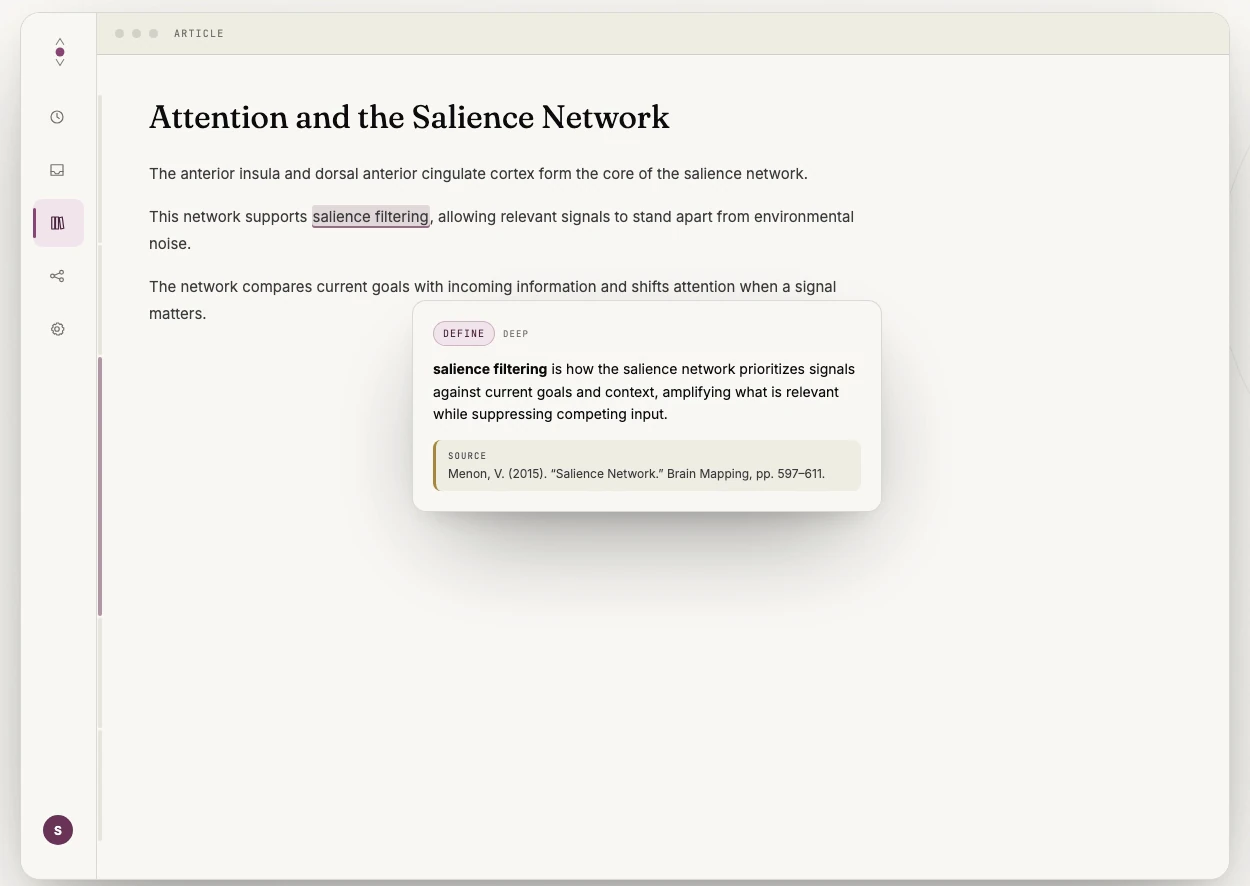
A useful way to compare the two tools is to look at what happens after the first interaction. An AI note taker helps preserve the event record. You can search the transcript, review the summary, confirm a decision, or find the timestamp where an issue was discussed. Its value often appears after the meeting or lecture, when you need to reconstruct what happened.
A reader builds a mental model while using explanations, questions and source checks. You move from the literal words to the claims behind them, then toward the relationships between those claims and your existing knowledge. This is the deeper work of comprehension.
Cognitive psychologist Walter Kintsch’s construction-integration model describes reading comprehension through three layers: the surface words and syntax; the textbase, or what the sentences claim; and the situation model, the larger picture of what the source means and how it connects to the world. A summary can help with the second layer. The third still has to be built by the reader.
That is why a clean summary can create the feeling of understanding without leaving behind a usable structure. Glenberg, Wilkinson and Epstein called this the illusion of knowing: readers judged their own comprehension of a passage confidently and were poor at detecting that they had not understood it. A feeling of familiarity is not sufficient evidence that you can explain the argument later. These studies do not establish an outcome benefit from Omphalis. An AI reading assistant should support the movement toward that deeper structure, not pretend to complete it for you.
Where does each tool belong in a research workflow?
The tools work well together when each is given the right job.
1. Capture conversations and live sessions
Use an AI note taker for interviews, research meetings, lectures, supervision sessions, conferences, recorded discussions, and calls with decisions or action items. During the event, stay present and let the tool preserve the record. Afterward, review the transcript or summary. Correct names, remove errors, identify open questions, and write down what you think matters. The AI has captured the conversation. You still have to interpret it.
2. Enter difficult sources
Use an AI reading assistant for academic papers, long-form articles, policy documents, technical reports, podcast transcripts, YouTube lectures, books, essays, and PDFs with unfamiliar terminology. Start with the structure. Find the section that matters. Open an explanation when a term interrupts your understanding. Ask a question about the passage rather than asking for a detached answer. Mark the part you expect to revisit. The point is not to read everything in one uninterrupted pass. The point is to have a way back.
3. Carry your own understanding forward
This is where the two workflows meet. A recorded interview may lead you to a paper. A lecture may raise a question that sends you to a report. A meeting may depend on an article that nobody has fully read. The note taker preserves the origin of the question. The reading assistant helps you investigate it.
Your own notes connect the two. They should preserve what you noticed, questioned, or decided, not only what an automated system extracted. For example:
- A note taker records that a researcher challenged a common assumption.
- A reading assistant helps you follow the paper where that assumption is examined.
- Your annotation records why the challenge matters to your project.
That final step is personal. It is also the part most likely to remain useful later.
Where does Omphalis fit, and where doesn’t it?
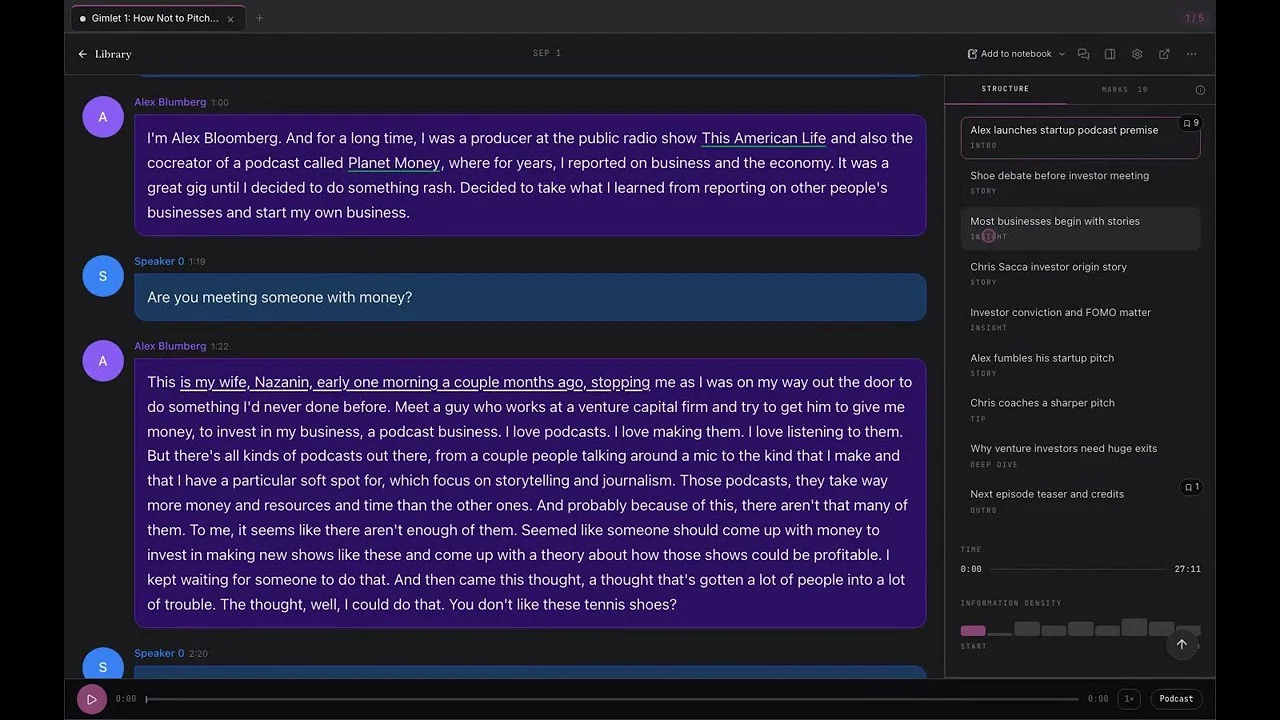
Omphalis is a workspace for understanding. It is built for articles, research papers, PDFs, podcasts, videos, newsletters, and other sources you want to understand and return to. You can add a source, read its extracted text, move through its sections, open explanations, ask source-grounded questions, and attach your own notes to particular passages or timestamps.
Omphalis does not try to replace a dedicated meeting recorder for live calls. It does not join your meetings, manage your team’s tasks, or decide which action item belongs to whom. If your main need is automatic transcription during conversations, an AI note taker is probably the better tool. That is not a weakness in note-taking apps. It is a boundary. A good tool should be clear about the work it is designed to support.
You can make a manual handoff from a meeting tool: export a supported transcript you have permission to use, inspect it in Omphalis, ask a question and keep a source-linked note. Add a relevant article or paper to a notebook and compare what they say. This does not promise a direct integration, live sync or automatic transfer of tasks.
Bring selected sources and marks into a notebook. Ask how they bear on your question, open the cited passages and write your own interpretation. When you return later, the question, writing and evidence remain together. This is a concrete workflow to evaluate, not a claim that questions or source-linked notes are unique to Omphalis.
Omphalis uses extracted PDF text; keep original files for figures, tables, equations and layout. PDF reading needs a paid plan or trial, and processing and questions have plan allowances. Omphalis does not replace an ink canvas, specialist spaced-repetition system, reference manager or live meeting recorder. Export and client support should be checked for your intended workflow; hosted processing is not local-only storage.
Omphalis also does not ask you to treat generated explanations as unquestionable. Language models can make mistakes. For research papers and complex PDFs, the original source remains important, especially for equations, figures, tables, formatting, and claims whose meaning depends on layout. The reading view gives you a way through the material. It is not a replacement for checking the material.
How do you choose between a note taker and a reading assistant?
Choose an AI note taker when:
- The information is being spoken live.
- You need a record of a meeting, lecture, or interview.
- Your main risk is missing a decision or action item.
- You want to participate without manually transcribing.
- You need to search a conversation after it ends.
Choose an AI reading assistant when:
- The information already exists in a source.
- You need to understand an argument rather than only capture its words.
- You regularly read papers, reports, articles, podcasts, or long videos.
- You want help without leaving the source.
- You need to preserve your own questions and interpretations.
- You expect to return to the material later.
Put simply: reach for a note taker when the words are still being spoken, and a reading assistant when the words are already written down. Use both when your work moves from conversations into sources and back again. A note taker can make sure the question is not lost. A reading assistant can help you stay with the answer.
Do not use the wrong tool for the hard source
The difference becomes clearest with material you have postponed. You may already have the meeting transcript, the PDF, or the podcast saved. The problem is not preservation. The problem is that the source is difficult to enter and harder to carry forward.
A note-taking app can store your thoughts once you have them. It can be excellent at organizing projects, tasks, decisions, and personal knowledge. But it may not help you build those thoughts while you are still inside someone else’s argument. That is the narrower role of an AI reading assistant: supporting the passage between saving and understanding, between fragments and coherence, between a source you meant to read and a source you can actually use.
Start with one paper, article, or episode you have been avoiding. Open the source. Find the section where the argument turns. Mark one passage in your own words.
Not a pile.
A way back.
Frequently asked questions
What is the difference between an AI note taker and an AI reading assistant?
A note taker starts where a conversation is happening and is built around capture: a transcript, speaker labels, topics, decisions, and action items. A reading assistant starts from a source that already exists and is built around engagement: readable text, section structure, explanations in place, source-grounded questions, and your own marks on particular passages.
Can one tool do both jobs?
Some tools overlap at the edges. A note taker may accept an uploaded file; a reading assistant may produce notes and summaries. The difference is emphasis rather than a hard boundary, and the emphasis is what decides which tool helps with the source you have been postponing.
Does Omphalis join meetings or record calls?
No. Omphalis is a workspace for understanding. It does not join calls, transcribe live conversations, or assign action items. If automatic transcription during meetings is your main need, a dedicated note taker is the better tool.
Is a summary enough to understand a difficult paper?
Not on its own. A summary can help with what the sentences claim, but the larger picture of what a source means and how it connects to what you already know still has to be built by the reader. That is why a clean summary can leave you able to recognize the ideas and unable to explain the argument a week later.