The Best AI Note-Taking Apps, Compared by What They Actually Preserve
Updated · 12 min read
Listen to this post
Contents
- Why is a note more than a summary?
- What four things can an AI note-taking app preserve?
- 1. Raw text
- 2. Summaries
- 3. Marks
- 4. Connections
- What does each type of tool keep?
- 1. Workspace AI: structure, summaries, and action
- 2. Source-grounded chat: answers, citations, and notebook context
- 3. Local-first knowledge tools: raw text and explicit links
- 4. Meeting and lecture transcribers: recordings, transcripts, and follow-up
- How is Omphalis different?
- How do the tool categories compare side by side?
- So, what is the best AI note-taking app?
- Frequently asked questions
- What is the best AI note-taking app for research?
- What is the difference between an AI note-taking app and a meeting transcriber?
- Do AI note-taking apps preserve my annotations?
- Is a summary enough for understanding?
- Can I use Omphalis alongside other note-taking tools?
Read. Mark. Return. Connect.
The best AI note-taking app is not necessarily the one that produces the shortest summary.
It may be the one that keeps the right things intact.
When you finish a long paper, meeting, podcast, or report, you do not only need a reduced version of what happened. You may need the original wording, the passage that made you stop, the question you wrote in the margin, or the connection between two ideas you encountered weeks apart.
Different AI note-taking apps preserve different parts of that experience.
Some preserve raw text. Some preserve summaries. Some preserve recordings and transcripts. Others help you build links between notes. The important question is not simply what can this tool generate?
It is:
What remains available when you return?
This comparison looks at AI note-taking tools through that lens.
Why is a note more than a summary?
AI has made it easy to turn a conversation or document into a neat collection of bullets. That is useful. A summary can help you orient yourself, remember a decision, or decide whether a source deserves closer attention.
But a summary is an interpretation.
It selects. It compresses. It leaves things out.
That is often the point. A meeting summary should not reproduce every pause. A project workspace should not force you to reread every draft. A general AI productivity app can save time by turning rough material into something more manageable.
The limitation appears when the omitted detail was the detail you cared about.
Perhaps you marked a qualification in a research paper. Perhaps you disagreed with the author’s central claim. Perhaps two separate sources suggested the same pattern. These are not generic facts about a document. They are parts of your relationship with it.
A useful note-taking system should preserve that relationship, not only describe the source.
What four things can an AI note-taking app preserve?
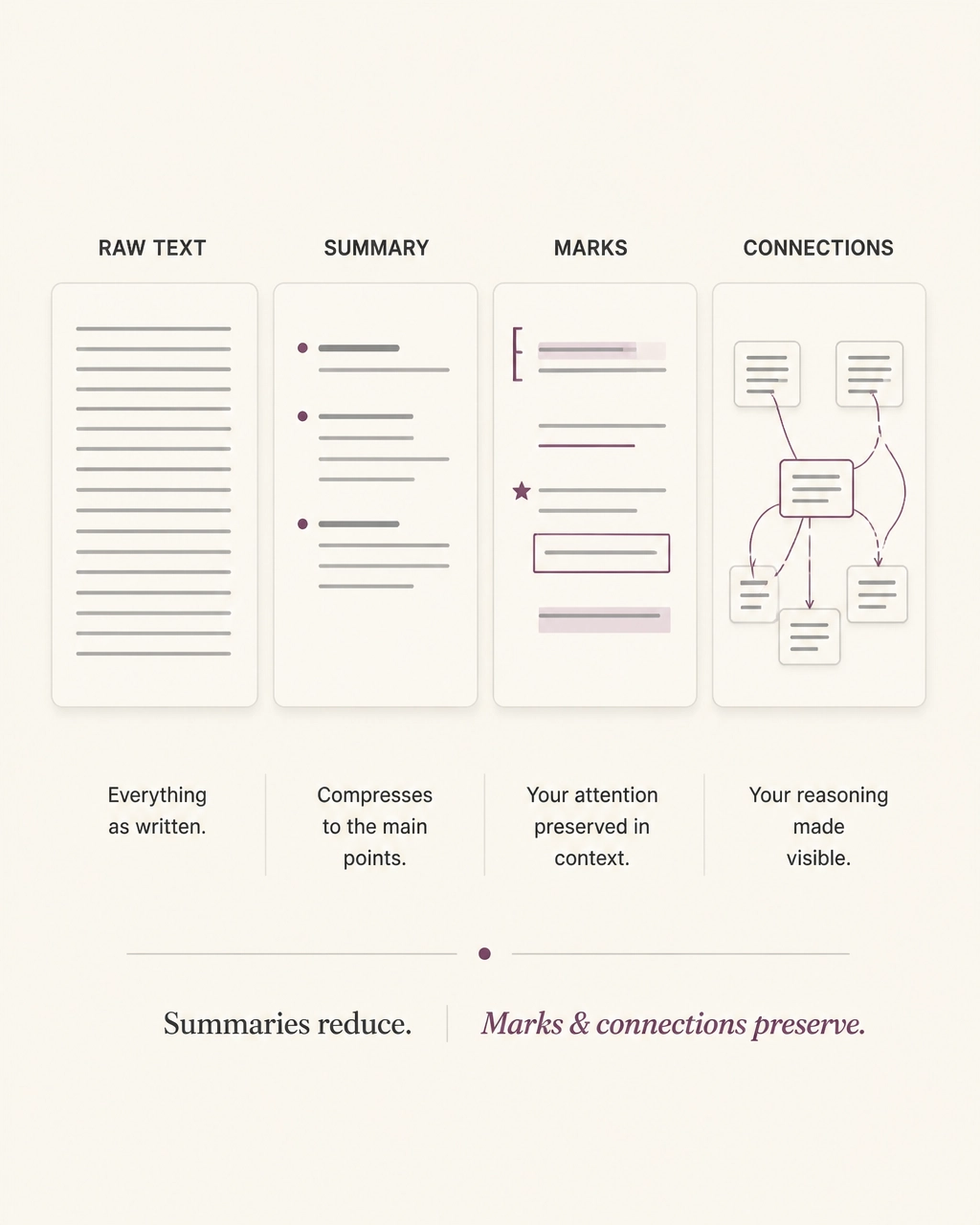
To compare these tools fairly, it helps to separate four layers.
1. Raw text
This is the original material: a transcript, article, PDF, book passage, or meeting recording.
Raw text provides traceability. You can check what was actually said, return to the author’s wording, and distinguish evidence from interpretation.
2. Summaries
A summary gives you a shorter account of the source. It can surface topics, decisions, action items, or the broad shape of an argument.
Summaries are useful for orientation. They are less useful as a complete replacement for the source.
3. Marks
Marks include highlights, annotations, comments, questions, and personal labels such as “important,” “unclear,” or “use later.”
A mark records attention. It says not only what the source contains, but where you chose to engage with it.
4. Connections
Connections link one marked idea to another. They may connect two paragraphs, two documents, a podcast timestamp and a research paper, or a new observation with something you saved months ago.
Connections turn a collection into a path.
The distinction matters because many tools preserve one or two layers especially well. Few treat all four as equally important.
What does each type of tool keep?
1. Workspace AI: structure, summaries, and action
Examples: Notion AI, Coda AI, and similar workspace tools
Workspace tools are designed for documents, projects, databases, and collaboration. Their strength is turning information into an organized working environment.
Notion, for example, describes features for generating documents, autofilling databases, searching connected apps, and creating AI meeting notes. It can summarize pages, work across a team workspace, and turn information into tasks or structured records.
These tools generally preserve:
- Structured documents and pages
- Database fields and project context
- Generated summaries and action items
- Links between workspace objects
They are a good fit when your notes are part of an operating system for work. You want a decision to become a task. You want a project update to live beside its related documents. You want a team to find information in a shared space.
The trade-off is that your personal response to source material may become secondary to the workspace structure. A highlighted sentence, a private question, or the exact paragraph that changed your view may not remain a first-class object unless you deliberately build that workflow.
Best for: team knowledge, project notes, structured work, and turning conversations into follow-up.
Preserves especially well: summaries, tasks, and workspace structure.
Not primarily built for: slow, source-centered reading and personal annotations across long-form material.
2. Source-grounded chat: answers, citations, and notebook context
Example: NotebookLM
Source-grounded AI tools sit closer to research. You upload documents or add sources, then ask questions about them. The system can help you get oriented, compare claims, and locate supporting passages.
This is valuable when you have a stack of papers and need to understand the broad terrain. It can help answer questions such as:
- What are the main arguments across these sources?
- Where do the authors disagree?
- Which document discusses a particular concept?
- What evidence supports this conclusion?
NotebookLM is particularly useful when answers need to stay close to the sources you provide. Citations and source references make it easier to inspect the basis for a response.
These tools generally preserve:
- Uploaded source documents
- AI-generated answers and overviews
- Source references or citations
- The questions asked during exploration
They preserve the conversation around the sources more reliably than the shape of your reading. If you made a personal mark while reading, whether a question, a hesitation, or a connection, the system may not know about it unless you add it explicitly.
This is not a flaw. Asking questions and reading deeply are different activities.
Use a source-grounded chat tool when you need an answer across a collection. Use a reading companion when you want to stay with the source itself. The two models are compared in more detail in Omphalis versus NotebookLM.
Best for: research orientation, document comparison, and source-grounded questions.
Preserves especially well: source context, answers, and citations.
Not primarily built for: keeping the precise history of your attention as you read.
3. Local-first knowledge tools: raw text and explicit links
Examples: Obsidian, Logseq, and other graph-based note systems
Tools such as Obsidian take a different approach. The note itself remains central, often as a local Markdown file. You can create links between ideas, build graphs, use tags, and shape the environment around your own way of thinking.
Obsidian’s public product language is clear about this philosophy:
“Your thoughts are yours.”
It also emphasizes local storage, open file formats, links between notes, graphs, and an extensive plugin ecosystem.
These tools generally preserve:
- Raw text in durable formats
- Manually created links and backlinks
- Tags, outlines, and metadata
- Your own writing and annotations
That is a meaningful advantage. You are not limited to whatever an AI system decides is important. You can keep the rough note, the incomplete thought, and the connection that does not yet have a clear category.
The responsibility is also yours. You typically need to create the links, design the structure, and decide how to move excerpts from a source into your knowledge base. AI plugins can assist with summaries and suggested connections, but the reading workflow is often separate from the note graph.
Best for: control, ownership, durable raw text, and deliberate knowledge building.
Preserves especially well: original notes and explicit connections.
Not primarily built for: guiding you through a difficult article or PDF while you are still reading it.
4. Meeting and lecture transcribers: recordings, transcripts, and follow-up
Examples: Otter, Fathom, tl;dv, and similar tools
Meeting-focused AI note takers solve a specific problem: conversations are difficult to capture accurately while participating in them.
These tools record or transcribe meetings, identify speakers, generate summaries, surface decisions, and extract action items. Otter, for example, describes searchable transcripts, speaker recognition, meeting summaries, action items, and integrations with tools such as Notion, Slack, Salesforce, and Google Docs.
They generally preserve:
- Audio or video recordings
- Searchable transcripts
- Speaker attribution
- Summaries, decisions, and action items
For a weekly team meeting, this is often exactly right. You can stay present in the conversation instead of trying to write everything down. Later, you can check the transcript or review what was assigned.
The boundary is simple: these apps are built around conversations, not necessarily around the gradual development of an individual’s understanding. Your spontaneous reaction to a sentence, or the connection between a meeting comment and a paper you read later, usually needs another layer of organization.
Best for: meetings, interviews, lectures, and automatic follow-up.
Preserves especially well: spoken words, speakers, decisions, and actions.
Not primarily built for: cross-source reading marks and long-term personal interpretation.
How is Omphalis different?
Omphalis begins with the source rather than the summary.
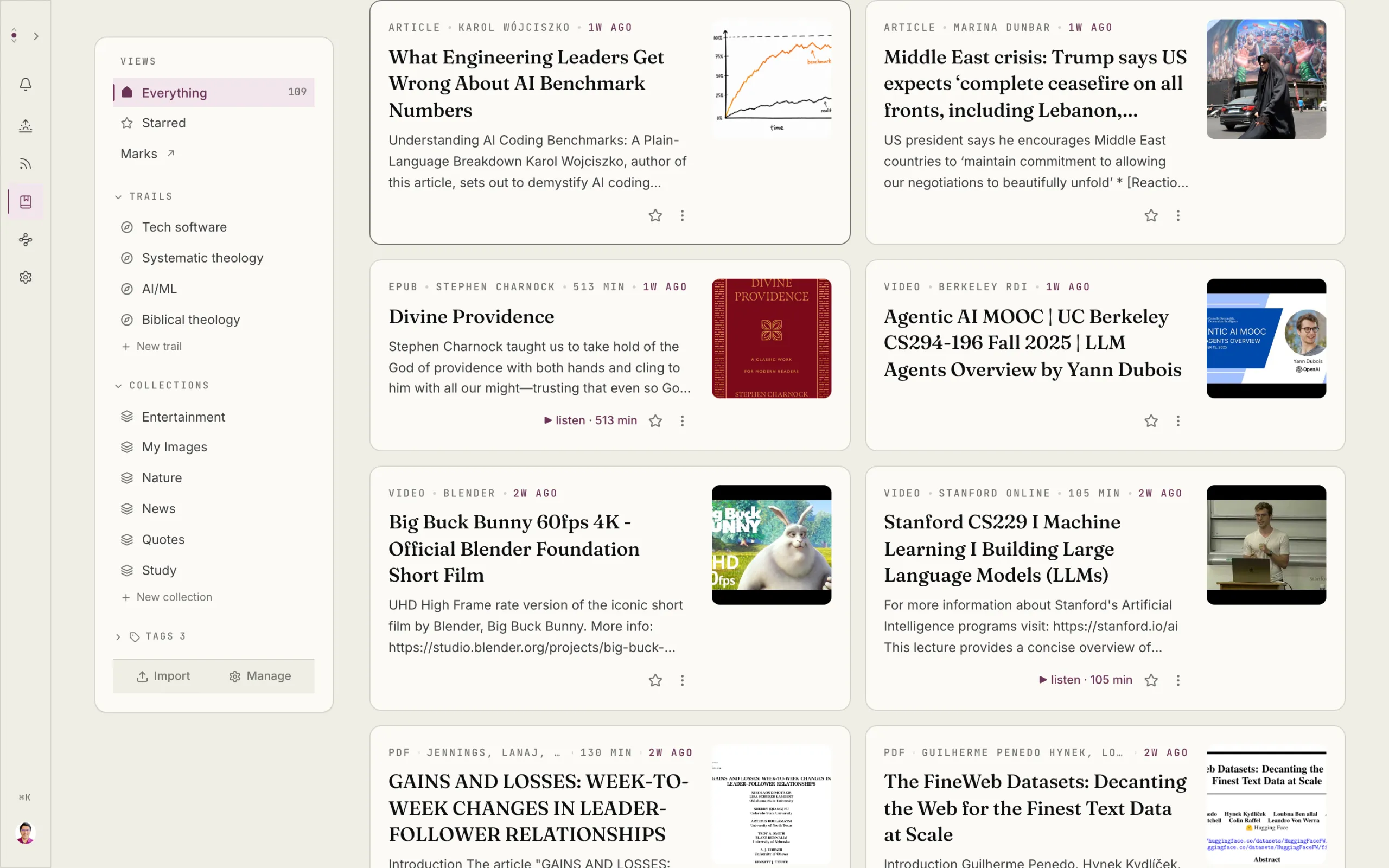
It is a reading comprehension app for articles, papers, PDFs, podcasts, and videos. The aim is not to shrink difficult material so you can avoid it. The aim is to make the material easier to enter, navigate, and return to.
An article is cleaned up. Its structure is surfaced. Dense moments become easier to locate. An unfamiliar term can be explained in place, grounded in the material you are reading.
Then your marks remain attached to the source.
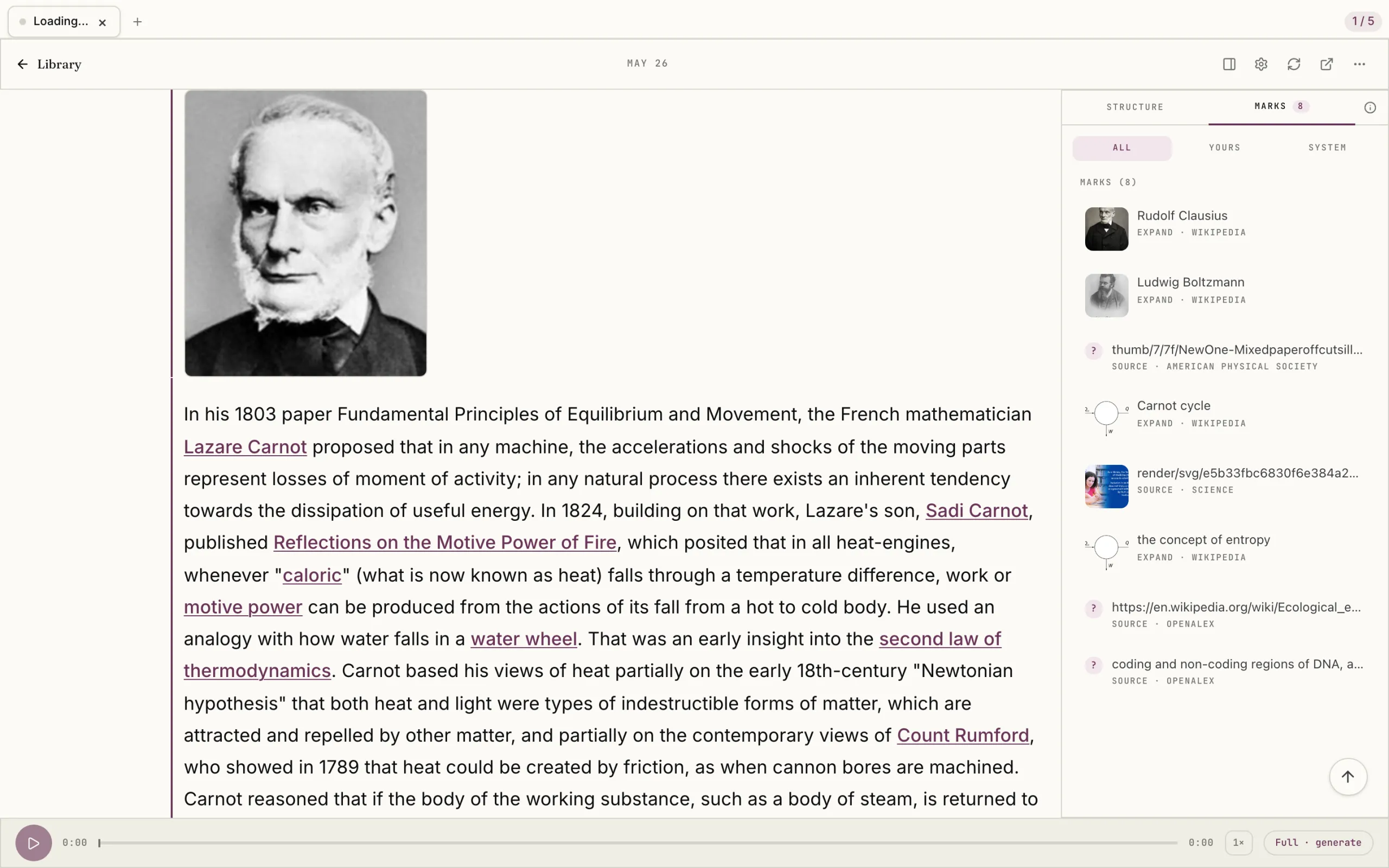
That distinction is visible in the reading experience. The tool can assist with structure and explanation, but it does not claim ownership of meaning. You still decide what matters. You still question the argument. You still make the mark.
Omphalis preserves:
- The cleaned, readable source
- The structure of the argument
- Your marked paragraphs or timestamps
- Your notes about why a mark mattered
- Connections between marked ideas across sources
A mark is not treated as a disposable highlight. It becomes a return point.
That is important because the value of a note often appears later. You may not know why a passage mattered when you first read it. You may only recognize its connection after encountering another idea. Keeping the mark, and the path back to the source, leaves room for understanding to develop.
How do the tool categories compare side by side?
| Tool category | Main activity | What it preserves best | Where it leaves off |
|---|---|---|---|
| Workspace AI | Organize and act | Summaries, tasks, pages, databases | Personal reading marks may need manual structure |
| Source-grounded chat | Ask questions across sources | Answers, citations, source context | Does not necessarily preserve the shape of your reading |
| Local-first knowledge tools | Write and link | Raw text, backlinks, personal notes | You build much of the reading workflow yourself |
| Meeting transcribers | Capture conversations | Recordings, transcripts, speakers, action items | Cross-source interpretation usually happens elsewhere |
| Omphalis | Read, mark, and return | Source structure, personal marks, and connections | It supports judgment; it does not replace it |
No single tool needs to do everything. A fuller side-by-side of the alternatives is kept separately.
You might use a meeting transcriber for calls, a workspace tool for team coordination, and Obsidian for durable personal notes. The question is which tool should hold the parts of your thinking that you do not want reduced or forgotten.
So, what is the best AI note-taking app?
The short answer is that it depends on what you need to preserve.
Choose a workspace AI tool if you need notes to become tasks, projects, and shared records.
Choose a source-grounded chat tool if you need to question a collection of documents and find supported answers.
Choose a local-first knowledge tool if raw text, ownership, and manual links matter most.
Choose a meeting transcription app if the material begins as a live conversation.
Choose Omphalis if your central activity is reading or listening to demanding material, and if you want your own attention to remain part of the record.
The best AI productivity app is not always the one that produces the most output. Sometimes it is the one that helps you stay with the original material long enough to form a view, mark a passage, and find your way back.
A summary gives you an account.
A mark gives you a place.
A connection gives you a path.
Explore Omphalis for reading comprehension, or see it on a real document.
Frequently asked questions
What is the best AI note-taking app for research?
For source-grounded questions across a collection of documents, NotebookLM is a strong option. For reading papers closely and preserving your marked passages and connections, Omphalis is designed around the reading process itself. Obsidian can also work well when you want local raw text and are willing to build your own research workflow.
What is the difference between an AI note-taking app and a meeting transcriber?
An AI note-taking app may support written notes, documents, projects, or research. A meeting transcriber is focused on capturing spoken conversations, usually producing a transcript, summary, speaker labels, and action items. Some tools now overlap, but their primary preservation model remains different.
Do AI note-taking apps preserve my annotations?
Not always in the same way. Some preserve comments or notes inside a workspace. Others preserve highlights, transcripts, or generated summaries. Omphalis treats your marks on paragraphs and timestamps as first-class data, keeping the reason for the mark and a path back to the exact source.
Is a summary enough for understanding?
A summary can help you orient yourself, but it is not the same as reading the source. Important qualifications, uncertainty, evidence, and the order of an argument may disappear during compression. Summaries are useful companions. They should not always be substitutes.
Can I use Omphalis alongside other note-taking tools?
Yes. Omphalis can sit alongside a workspace tool, a meeting transcriber, or a local knowledge base. Its narrower role is to help you read and listen closely, keep what you marked, and connect those marks across the material you return to.