7 Mistakes You're Making with AI Note-Taking Apps (and How to Fix Them)
Updated · 11 min read
Listen to this post
Contents
- 1. Are you asking AI to think before you have formed a thought?
- How to fix it
- 2. Are you treating the summary as the destination?
- How to fix it
- 3. Are you collecting AI-generated notes instead of making a few of your own?
- How to fix it
- 4. Do you leave the source every time you need help?
- How to fix it
- 5. Are you assuming the AI captured the important nuance?
- How to fix it
- 6. Are you confusing captured tasks with completed understanding?
- How to fix it
- 7. Are you letting your library become a storage room?
- How to fix it
- What is a better way to use an AI note-taking app?
Read. Mark. Return.
An AI note-taking app can help you capture a meeting, organize a paper, or make a long podcast easier to enter. But the same tool can also create a quiet problem: the appearance of understanding without the understanding itself.
The biggest mistake is not trusting the wrong transcription or choosing the wrong settings.
It is letting AI replace the part of the process that belongs to you.
Good notes are not simply shorter versions of what happened. They are records of what you noticed, questioned, connected, and decided to keep. An AI productivity app should support that work. It should not make the work disappear.
As Cornell’s guidance on AI note-taking tools puts it: “AI note-taking tools can help meeting organizers summarize and share information, but it is up to individuals to configure them properly.” That responsibility extends beyond meetings. It applies whenever AI sits between you and something you are trying to understand.
Here are seven common mistakes: and quieter, more durable ways to fix them.
1. Are you asking AI to think before you have formed a thought?
The first mistake is opening an AI note-taking app with a blank mind and asking it to tell you what matters.
This feels efficient. You receive a summary, a list of themes, perhaps a set of questions. The language is clear. The page looks complete.
But clarity is not the same as comprehension.
When you read a difficult article or listen to a dense interview, your mind is building more than a list of claims. You are working out how the argument moves, what it assumes, where the evidence is strong, and how it relates to what you already know. If an AI productivity app performs all of that work before you engage, it may give you an answer without giving you ownership of the answer.
How to fix it
Use AI as a scaffold, not a substitute.
Before opening the generated summary, write three brief lines:
- What do I think this piece is about?
- What am I unsure about?
- What do I want to notice?
Then read or listen with those questions nearby. Let the app surface structure, define unfamiliar terms, or point you back to dense sections. Compare its suggestions with your own response.
Your first interpretation does not need to be correct. It needs to exist.
A useful note begins with a reader, not a model.
2. Are you treating the summary as the destination?
Summaries are useful. They help you decide whether a piece is relevant, recover the broad shape of something you read months ago, and enter a subject that initially feels difficult.
The problem begins when the summary becomes the entire experience.
A summary compresses. Compression is a form of editing. It removes repetition, examples, hesitation, qualifications, and sometimes the very details that help you judge whether a claim deserves confidence.
This is especially risky with research papers, policy writing, technical documentation, and long-form interviews. The central idea may be easy to repeat. The important work may be hidden in the conditions around it.
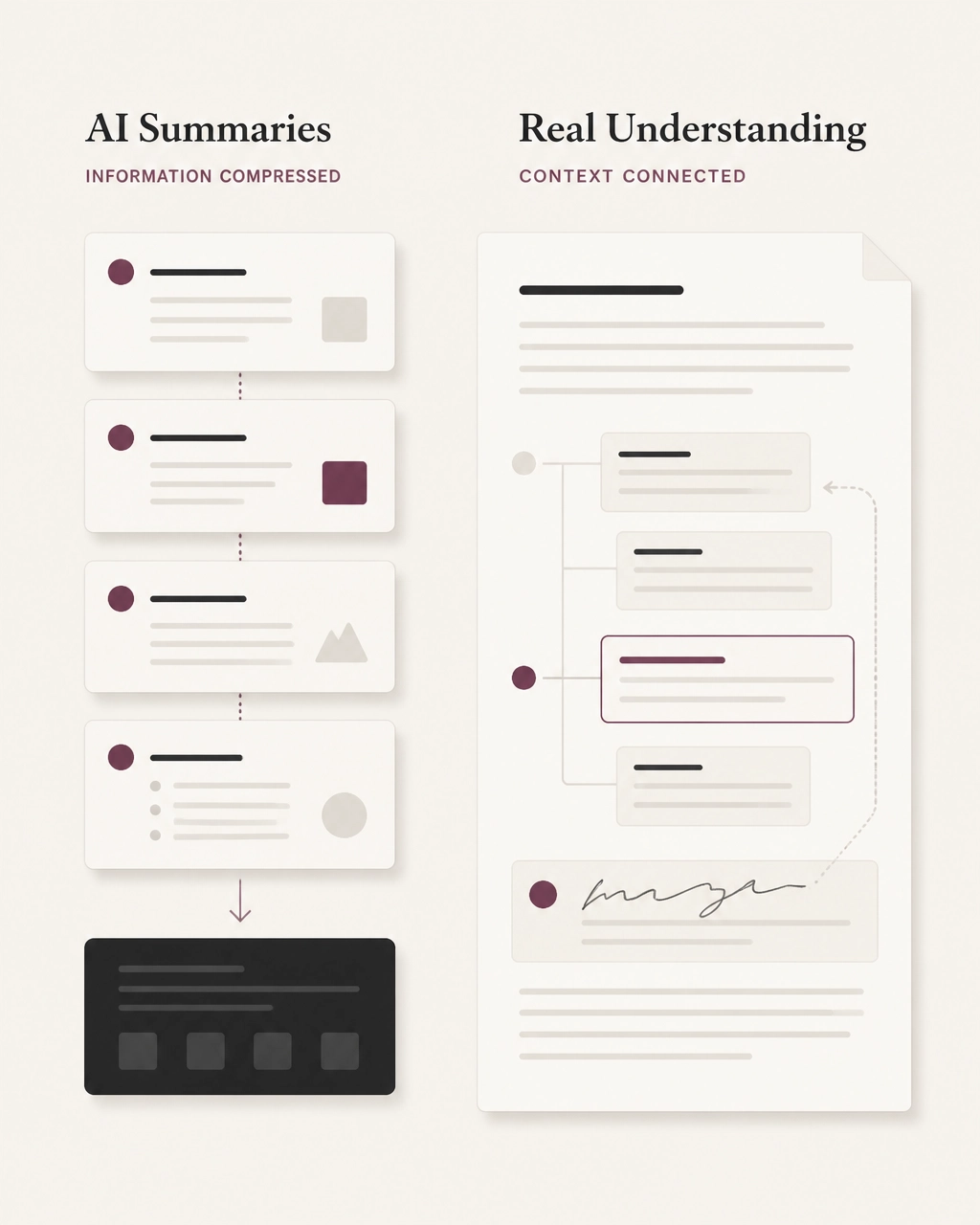
The difference matters because a summary can create familiarity without durable understanding. You recognize the language when you see it again, but cannot explain how the argument works or where it belongs in your own thinking.
How to fix it
Use the summary as a map.
Read it first when you need orientation. Then return to the source. Look for:
- The passage where the argument turns.
- The example that gives the claim its shape.
- The qualification that limits the conclusion.
- The section you would want to find again.
Omphalis is built around this distinction. As its reading guidance puts it: “A summary gives you the gist. Omphalis shows you how it is built, the parts that matter, and a way back when you need it.”
The goal is not to read every word with equal intensity. It is to understand enough of the structure to choose where your attention should go.
3. Are you collecting AI-generated notes instead of making a few of your own?
Many AI note-taking apps can produce a large amount of material: summaries, action items, keywords, topics, questions, and suggested highlights.
More notes can feel like more progress.
Often, they are simply more material to sort through later.
A useful note is not necessarily the most complete note. It is the one that preserves why something mattered to you. That reason may be practical, personal, unresolved, or still difficult to express.
AI can identify a passage as important. It cannot know, in the same way, why you need to carry that passage forward.
How to fix it
Create a small number of personal marks.
A mark might include:
- The exact sentence or timestamp.
- A short note in your own words.
- A question the passage raises.
- A connection to something you already know.
- A possible use in your work.
Do not try to annotate everything. Mark the places you expect your future self to need.
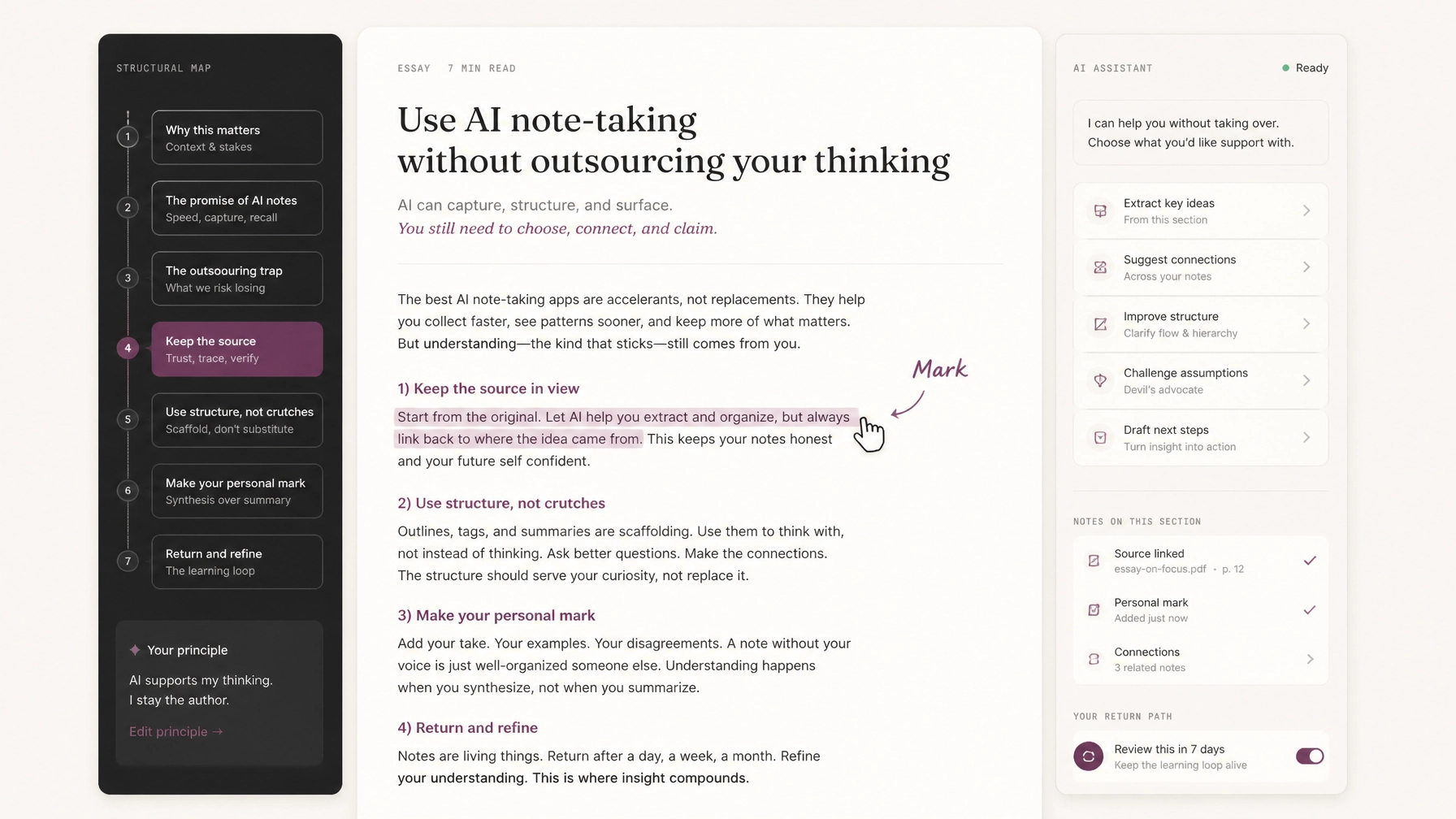
This is one reason Omphalis treats a mark as more than a highlight. A highlight points to a passage. A mark preserves the passage, the context, and your reason for keeping it. Your interpretation remains first-class data.
4. Do you leave the source every time you need help?
An AI productivity app can be helpful and still interrupt your thinking.
You encounter an unfamiliar term in a paper. You open a separate chat window. You copy the paragraph. You ask for an explanation. You read the response. Then you return to the paper and try to remember where you were.
The friction seems small. Repeated across a long reading session, it breaks the path of the argument.
Context matters. A term can mean something slightly different in one field, one paper, or one conversation. An answer detached from the source may be accurate in general but unhelpful in place.
How to fix it
Keep assistance close to the moment of difficulty.
Ask for:
- A definition grounded in the current passage.
- A brief explanation of the assumption behind a claim.
- The relationship between two sections.
- The evidence supporting a conclusion.
- A pointer to the exact place where the idea is developed.
Then continue reading.
The assistance should reduce the distance between confusion and comprehension. It should not create a second document that competes with the first.
In Omphalis, explanations appear in the reading context, alongside the article, PDF, podcast transcript, or video. The source remains central. The system can clarify and orient, but it does not claim ownership of the meaning.
Help should return you to the work.
5. Are you assuming the AI captured the important nuance?
An AI-generated transcript can be accurate in most sentences and still misleading overall.
A qualifier may disappear. A tentative suggestion may sound like a firm decision. A disagreement may be recorded as consensus. A speaker may be misidentified. Technical language may be transcribed incorrectly.
This matters in meetings, but it also matters in lectures, interviews, research discussions, and podcasts. Tone and uncertainty often carry meaning that is difficult to reduce to clean bullet points.
How to fix it
Treat AI output as a first pass, not a final record.
When reviewing notes, check:
- Did the speaker say will, or did they say might?
- Was the conclusion agreed upon, or merely proposed?
- Were objections and unanswered questions included?
- Is the attribution correct?
- Does the source support the confidence of the note?
For important material, return to the original audio, video, or passage. If the content involves other people, confirm that recording and transcription are appropriate. Cornell recommends reviewing tool permissions and being attentive to consent, privacy, and automatic meeting access.
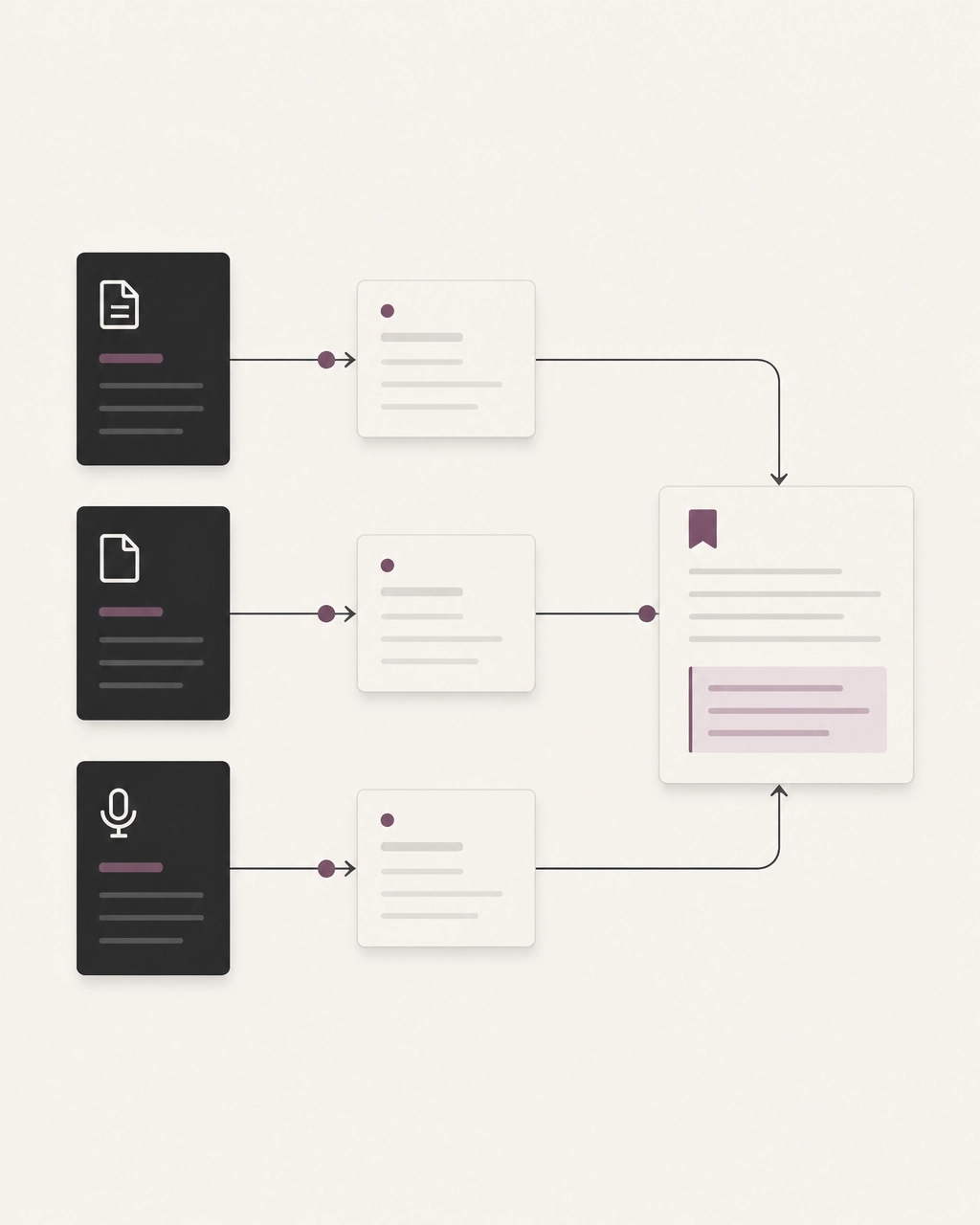
An AI note-taking app should make verification easier by preserving the path back to the source. If you cannot locate the original moment, the note may be polished but fragile.
6. Are you confusing captured tasks with completed understanding?
Some AI note-taking apps are designed primarily for meetings. They extract action items, assign owners, and list deadlines. This is useful when the main goal is coordination.
But a task list is not a comprehension system.
The same confusion appears in research. An app may generate a list of “next steps” from a paper, but the list does not tell you whether you understand the paper’s method, limitations, or relevance to your work.
How to fix it
Separate three kinds of outcomes:
- What happened : the transcript, source, or discussion.
- What it means : your interpretation and questions.
- What follows : the task, decision, experiment, or return point.
After a meeting, verify the owner and deadline yourself. After reading, write one sentence about what the material changes, confirms, or complicates.
Move actual tasks into your task manager. Keep source understanding with the source. Do not expect one generated note to serve equally well as a transcript, project plan, research record, and personal reflection.
A focused tool is often more useful than a universal one.
7. Are you letting your library become a storage room?
The final mistake is subtle. You use an AI note-taking app to save everything, but you do not build a habit of returning.
The library grows. The inbox fills. Highlights multiply. A month later, you have more captured material and less sense of what belongs together.
Saving is not the same as keeping.
A saved link records that something passed through your attention. A meaningful mark records what remained.
How to fix it
Create a return path.
Once or twice a week, revisit a few things you marked. Ask:
- Do I still remember why this mattered?
- Does it connect to something newer?
- Has my view changed?
- Is there a sentence I would now rewrite?
- Does this belong in a project, an argument, or simply in my long-term understanding?
This is where an AI productivity app can become more than a capture tool. It can help surface related ideas across articles, papers, podcasts, videos, and your own notes. But the connection should remain yours to accept, explain, or reject.
Omphalis calls this a comprehension pipeline: clean the source, show its structure, preserve your marks, and make connections over time. The system can suggest relationships. You decide which ones matter.
The library becomes useful not when it contains everything, but when it helps you return to what you chose.
What is a better way to use an AI note-taking app?
The best AI note-taking workflow is not the one that produces the most text.
It is the one that leaves you with a clearer sense of:
- What the source says.
- How its argument is built.
- What you noticed.
- What remains uncertain.
- Where the idea connects.
- How to find the important moment again.
That usually means using AI for the work around thinking:
- Cleaning a cluttered article.
- Untangling a long PDF.
- Transcribing a podcast or video.
- Mapping the structure of a source.
- Explaining a difficult term in context.
- Helping you find a marked passage.
- Suggesting a possible connection between things you kept.
It does not mean asking AI to decide what you should believe, remember, or value.
You still need to read the paper. Listen to the interview. Question the evidence. Make the mark. Return to the passage.
The tool can hold the thread while you follow it.
If you want to see this approach in practice, explore Omphalis as a reading comprehension app, or try the real-piece demo. It works with articles, PDFs, podcasts, YouTube videos, and other long-form sources, helping you see the structure before you lose your place and keep the moments you decide are worth carrying.
You can also read the case for comprehension, which explains why structure, personal marks, and return matter more than reduction alone.
AI can shorten a text.
Your work is to understand it.